Consultation booking and procedure-information automation for aesthetic / beauty centers
Consultation types, working hours, conflict prevention, 1-day and 2-hour reminders, no-show re-offers. The AI does not invent procedures or prices and refers to the specialist.
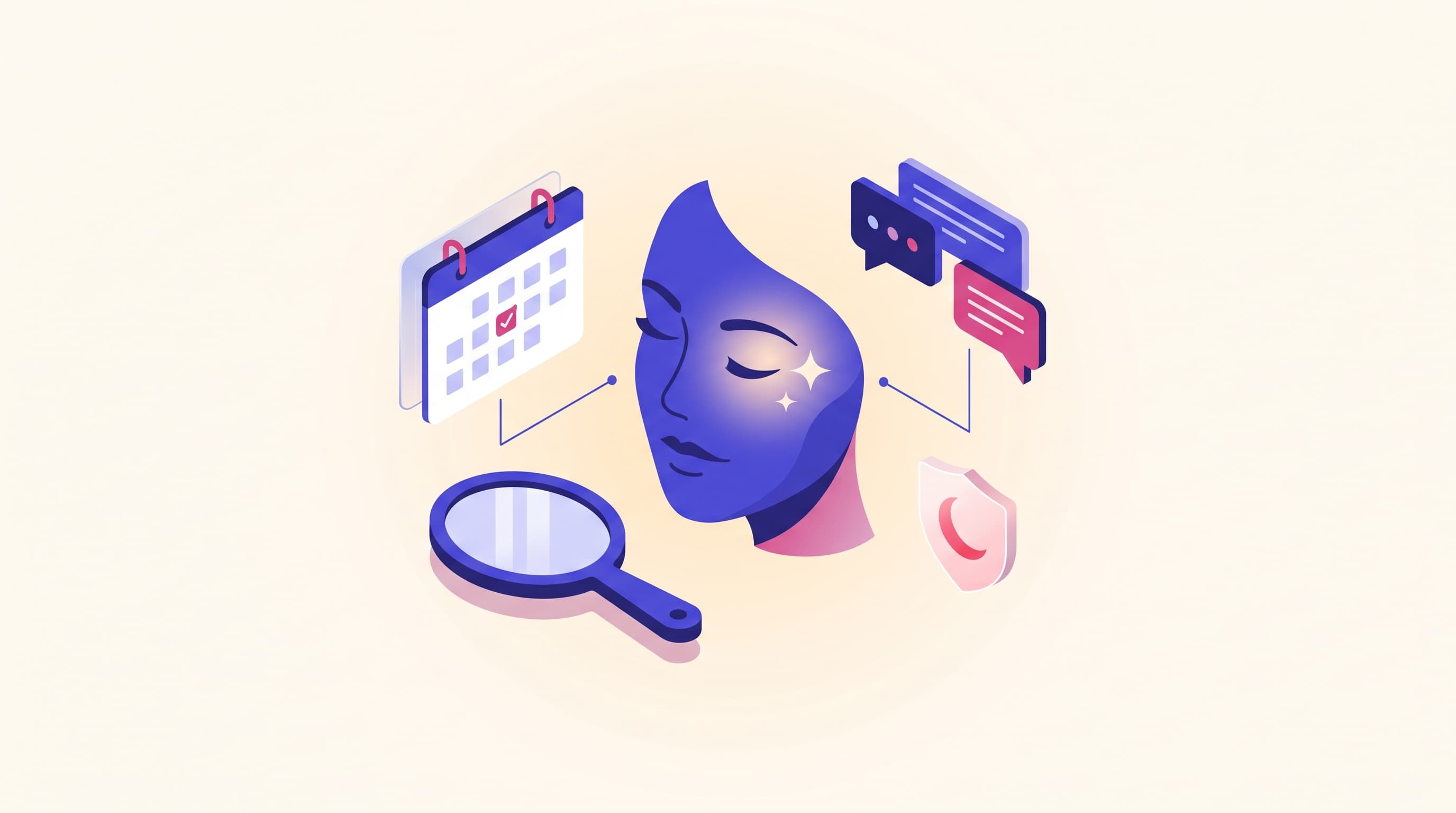
At an aesthetic or beauty center, the appointment is the revenue itself. When the consultation calendar fills, a procedure plan emerges; when a procedure plan emerges, revenue comes in. But when a consultation request is answered late, when an appointment isn't reminded, or when the client doesn't show and the slot goes to waste, this chain quietly breaks. Most centers leave this to the front desk's memory and business hours; it's exhausting, inconsistent, and prone to being forgotten. This article explains how to set up the center's appointment engine on intusell with aesthetic consultation booking and procedure-information automation — from consultation types to multi-channel reminders, from conflict prevention to re-offering the slot freed by a no-show. This article is the aesthetic appointment and engine leg of our sector-based "how to train your AI" series; for the aesthetic pillar see how to train intusell's AI for aesthetics, and for the general health pillar see how to train the clinic AI.
Quick answer
intusell's aesthetic appointment engine is made of four parts: (1) consultation types (first consultation, check-up — duration + buffer), (2) working hours and exceptions, (3) a conflict check that prevents double-booking, (4) multi-channel reminders 1 day and 2 hours beforehand. When a client asks for information, the AI informs them generally from the knowledge base and routes them to a consultation; it does not give medical advice, does not diagnose, does not recommend a procedure, and does not invent prices — it leaves the assessment to the specialist. On a no-show, the freed slot is re-offered to suitable clients being followed up. Google Calendar is optional and works one-way.
Why consultation and reminder automation
There are three reasons to move consultation booking and reminders to intusell: no request being lost along the way, no appointment going without a reminder, and not forgetting the client who said "let me think about it" and disappeared. In manual mode, everything depends on a person's memory and business hours; in automatic mode, consultations are booked 24/7, the reminder goes out on its own, and the client who went quiet is proactively reached again.
Think of the concrete difference like this:
| Situation | Manual follow-up | Automatic (intusell) |
|---|---|---|
| Taking a consultation | During business hours, by phone | 24/7, on whatever channel the client wrote in |
| Conflict | Prone to human error | The system prevents it (no double-booking) |
| Appointment reminder | By hand, one by one, easy to forget | Automatic 1 day + 2 hours beforehand |
| Procedure question | The front desk comments (risk) | The AI does not recommend, routes to the specialist |
| No-show | Empty slot, lost revenue | Re-offered to a suitable client being followed up |
| Calendar | Separate diary | One-way copy to Google Calendar |
This is where intusell's "not a chatbot, but an experienced client coordinator" position becomes concrete: a good coordinator doesn't give out consultations off the top of their head but checks the calendar; doesn't leave the client without a reminder; and on a question like "is laser right for me?" doesn't stand in for the specialist but routes to an appointment.
Who is it for?
- Medical aesthetics, laser hair removal, skincare, and permanent makeup centers receiving heavy consultation and information requests from Instagram DM and WhatsApp.
- Centers with high no-show rates, where an empty session slot turns directly into lost revenue.
- Teams managing multiple services and different durations (first consultation, session, check-up).
- Aesthetic centers working with health tourism that need to respond multilingually and quickly to overseas clients.
No technical knowledge is required; the setup is done from the panel.
1. Setting up consultation types
The foundation of the appointment engine is the consultation (appointment) types. You define a type for each service; the type has three important settings:
| Setting | What it does | Example |
|---|---|---|
| Duration | How many minutes the appointment lasts | First Consultation 30 min, Check-up 15 min |
| Buffer | The gap left after the appointment | 10 min prep after a consultation |
| Color | Distinguishing on the calendar | Consultation blue, check-up green |
Duration is critical for the AI to calculate the slot correctly: if "First Consultation 30 min" is defined, the AI looks for a 30-minute gap and doesn't squeeze a fifteen-minute appointment into a half-hour window. The buffer lets you leave breathing room for transitions and prep between clients. If you like, you can also define an informational fee on the type; but remember, the AI doesn't market a procedure or consultation fee on its own on a public channel — we covered this behavior in detail in the how an aesthetic / beauty center uses intusell article.
2. Working hours and holiday exceptions
So that the AI only books appointments during the hours you're open, you define working hours. This is two-layered:
- Weekly working hours: Opening and closing time for each day of the week (for example, Monday–Saturday 10:00–19:00). You mark closed days as "unavailable."
- Exceptions (override): A special rule for a specific date. For a public holiday, a religious holiday, or an in-house training day, you add an "unavailable" exception for that day and write a reason ("Public holiday — closed"). You can also change the hours for a single day (for example, a half-day).
That way the AI doesn't give a consultation on a holiday morning, and a client doesn't write in for a time after closing. Whatever your work schedule is, the appointments fit it.
3. Conflict prevention: no two clients at the same time
This is the appointment engine's most critical safeguard. Before creating an appointment, intusell checks two things: is the requested time within working hours, and is that slot booked? If there's a conflict, the appointment isn't opened.
Important detail: cancelled (cancelled) and missed (missed) appointments free the slot again in this check. So when a client cancels, that time automatically becomes available again and can be opened to another client. Booking two clients for the same time — the most common error of a manual diary — is mathematically prevented.
Every appointment has a status, and the lifecycle is clear:
scheduled
  → confirmed
  → attended (showed up / completed)
or
  → cancelled
  → missed (didn't show / no-show)
4. The appointment reminder engine: 1 day + 2 hours beforehand
The most expensive thing at an aesthetic center is the client who doesn't show: an empty session slot is both lost revenue and the loss of another client who could have taken that time. This is the part that actually reduces no-shows. For every appointment, two reminders are scheduled automatically:
- 1 day before: "Hi [name]! You have a consultation appointment tomorrow at [date time]. See you soon! — [assistant name]"
- 2 hours before: "Hi [name]! You have an appointment today at [time] — 2 hours to go. We're expecting you — [assistant name]"
The message is signed with your center's assistant name (ai_persona_name) and a one-click cancel/reschedule link is included inside it (/manage-appointment/...). If the client reports in advance that they can't make it, the slot doesn't go to waste.
The reminder isn't confined to a single channel; it works with a fallback chain:
- The channel the client wrote in (WhatsApp, Instagram DM, Telegram, Facebook Messenger).
- If the native channel fails, SMS.
- If SMS doesn't work either, email.
- For clients who came through web chat, the message is written directly into the chat history.
You can turn the reminder on or off for each appointment (reminders_enabled); for example, a 1-day reminder may not be needed for an appointment booked the same day. The system sends each reminder only once; the same reminder going out twice is prevented.
5. The procedure-information boundary: the AI does not recommend, it informs and refers to the specialist
In aesthetics there are two boundaries that come even before the appointment engine; for this engine to work correctly, both must be clear.
The first is the medical boundary. In health mode the AI does not give medical advice, does not diagnose, does not recommend a procedure/treatment, and does not guarantee results. On questions like "is laser or filler right for me?", "will this spot go away?", "in how many sessions will I see results?", it doesn't choose a side or make a commitment; it informs generally from the service descriptions in your knowledge base and, saying "our specialist will clarify this in a face-to-face assessment," routes them to a consultation. Which procedure suits whom is a medical decision that depends on the person's condition and always belongs to the specialist. The AI is the communication and appointment layer; it does not stand in for the physician or specialist.
This boundary isn't left to the rule you wrote alone. The primary safeguard is the instruction health mode gives the AI: "do not give advice, refer to the specialist." On top of that, boundary-crossing statements like "guaranteed result," "it will definitely go away," "this procedure is good for you" are flagged with a pattern scan and a second model review before the response goes to the client. The important point: this medical review layer is not a "wall" that silently blocks the response, but a shadow layer that detects and flags risky output; what determines the actual behavior is the system instructions you give the AI. So even if you forget to write a rule, the system tries to protect you from a misleading promise.
The second boundary is not making things up in information. The AI does not invent a price, stock, or piece of information. It doesn't guess on something it isn't sure of; it says it doesn't know and routes to the right step — to a consultation or the live team.
6. Pricing and health-advertising regulations
The procedure fee is a sensitive matter for an aesthetic center. Health and aesthetics regulations limit the marketing of fees on public channels and the promise of results. The AI keeps this line within the appointment engine:
- It doesn't discuss the procedure fee in public spaces; it moves the conversation to private.
- In the typical setup it routes to an appointment, saying the fee "becomes clear after the consultation" (changeable by your policy).
- Instead of inventing a figure it isn't sure of, it routes to the right step.
The pricing model itself also doesn't change by sector: intusell is priced by message and voice-minute volume, there's no separate tariff for aesthetics, and the appointment module can be enabled on every plan. For package details, see the pricing page.
7. No-show and re-offering the freed slot
If the client doesn't show despite all reminders, you mark the appointment as missed. This mark triggers a series of automatic steps:
- Pending reminder jobs are cancelled (no longer needed).
- Any Google Calendar event is deleted.
- The freed slot is automatically re-offered to suitable ones among the interested or recently followed-up clients.
- The client is placed into the follow-up flow ("follow-up needed").
There's an important distinction here: this re-offer is not a managed waitlist. The system doesn't keep a separate queue or line; unlike the multi-channel reminders, this re-offer for now goes over WhatsApp and to a few suitable clients being followed up. So a no-show isn't a lost hour; it's a reassessed opportunity. The same logic works for clients who said "let me think about it" and went quiet: a proactive follow-up message goes to the client who took information and disappeared, and every conversation is written into the CRM. You can find how this flow reflects into day-to-day operations in the how an aesthetic / beauty center uses intusell article.
8. Google Calendar sync (one-way)
If you want your team to see the day on their own Google Calendar, you connect the calendar with one-click OAuth. Let's be clear about how the sync works: it's one-way (intusell → Google Calendar).
- When an appointment is created, an event with the title "Appointment — client name" appears in Google Calendar.
- When an appointment is rescheduled, the event is updated.
- When an appointment is cancelled or a no-show, the event is deleted.
The reverse doesn't apply: a change you make by hand in Google Calendar doesn't come back to intusell, and the conflict check doesn't look at Google Calendar's busy hours. Conflict is always calculated from intusell's own appointment book. That's why Google Calendar is a "viewing convenience," not the appointment source. Even if you don't connect it, appointments, reminders, and conflict prevention work exactly the same. You can review the integrations on the integrations page.
9. KVKK and special-category data
Aesthetic and health-related data is special-category personal data under KVKK, and processing it requires explicit consent; this includes the "before" photos the client sends. The appointment engine protects this at three points:
- Explicit consent record: The client's explicit consent is recorded together with its time and type (
kvkk_consent_at/kvkk_consent_type). - Sensitive-field control: A "health note/complaint" field is flagged at the highest sensitivity; it isn't saved automatically and requires manual approval.
- Encrypted storage and masking: Personal data is end-to-end encrypted; PII masking is applied to voice recordings.
This makes it easier to answer the question "what did the client agree to and when?" with evidence in case of an audit or objection.
What it isn't
To put intusell in the right category, let's be clear about what it isn't:
- It is not a physician, specialist, or diagnostic tool. It does not give medical advice, does not diagnose, does not recommend a procedure, does not guarantee results; it leaves the assessment to the specialist and the live team.
- It is not a patient-record / EMR system. It does not keep medical records, procedure history, or patient files; it's the appointment, communication, and client-coordination layer.
- It is not a two-way calendar. It writes to Google Calendar, doesn't read from it; it calculates conflicts from its own book.
- It does not keep a managed waitlist. It re-offers the freed slot to suitable WhatsApp clients being followed up; it doesn't manage a separate line/queue.
- It is not an Instagram comment bot. The automation live today is over WhatsApp and DM; the comment side is rolled out gradually depending on Meta approval.
- It is not a sector-specific priced product. The appointment engine can be enabled on every plan; the pricing model is based on message and voice-minute volume and doesn't differ by sector.
So you don't start with the wrong expectation, let these boundaries be clear from the start.
Frequently asked questions
Does the AI tell you which procedure is suitable or recommend a procedure?
No. The AI does not give medical advice, does not diagnose, does not recommend a procedure/treatment. On a question like "is laser or filler right for me?" it does not take a side; it informs the client in general terms and, leaving the assessment to the specialist, routes them to a consultation appointment. The decision about which procedure suits whom always belongs to the specialist.
Does the AI create the consultation appointment on its own?
Yes. The AI suggests the suitable consultation type and creates the appointment based on the consultation duration, your working hours, and the booked slots. Double-booking the same time is prevented by the system. In a situation that is complex or requires medical assessment, it hands the chat to the specialist / live team.
Does the AI tell the procedure price?
Depending on your center policy and health-advertising regulations. Regulations limit the public marketing of procedure fees; in the typical setup the AI leaves the fee until after the consultation or routes to the live team. It does not invent a figure it is unsure of; it says it does not know and routes to the right step.
How is no-show (clients who do not show up) reduced?
For every appointment, an automatic reminder goes out 1 day and 2 hours beforehand; the client can cancel or reschedule with one click. When a missed appointment is marked "missed", pending reminders are cancelled, any Google Calendar event is deleted, the freed slot is automatically re-offered to suitable WhatsApp clients being followed up, and the follow-up flow is triggered.
Do you need separate software for the appointment system?
No. Consultation types, working hours, reminders, and follow-up come within intusell. Google Calendar is optional and works one-way; even if you do not connect it, appointments, reminders, and conflict prevention work exactly the same.
Is the client's photo or health note safe under KVKK?
Yes. Health data related to aesthetic procedures and "before" photos are special-category personal data under KVKK and require explicit consent. intusell is end-to-end encrypted; the sensitive health-note field is handled with high sensitivity and manual approval, and the time and type of explicit consent are recorded.
Next step
After setting up the consultation and reminder engine, you go in two directions. To shape the AI with your services, your tone, and your aesthetics-specific medical boundaries, read how to train intusell's AI for aesthetics; since aesthetics is a sub-branch of the clinic, the general health guide clinic AI training also applies. To see how incoming appointments are managed in day-to-day operations, go to how an aesthetic / beauty center uses intusell, and to see how channels come together in a single inbox, go to Instagram and WhatsApp automation for aesthetics. You can find the full aesthetic solution on the aesthetic / beauty center solution page and all articles via all articles.
If you'd like us to set up your consultation and reminder flow together, Get a demo or write to hello@intusell.com; we'll configure your working hours, consultation types, and the first appointment reminder together in 20 minutes.
You read the blog — now see it live.
Test intusell live with your own sector scenario in a 20-minute demo.