Instagram DM and WhatsApp automation for a dental clinic
Dental clinic Instagram DM and WhatsApp automation: answer appointment requests, comments and patients from abroad 24/7 with inTusell, step by step.
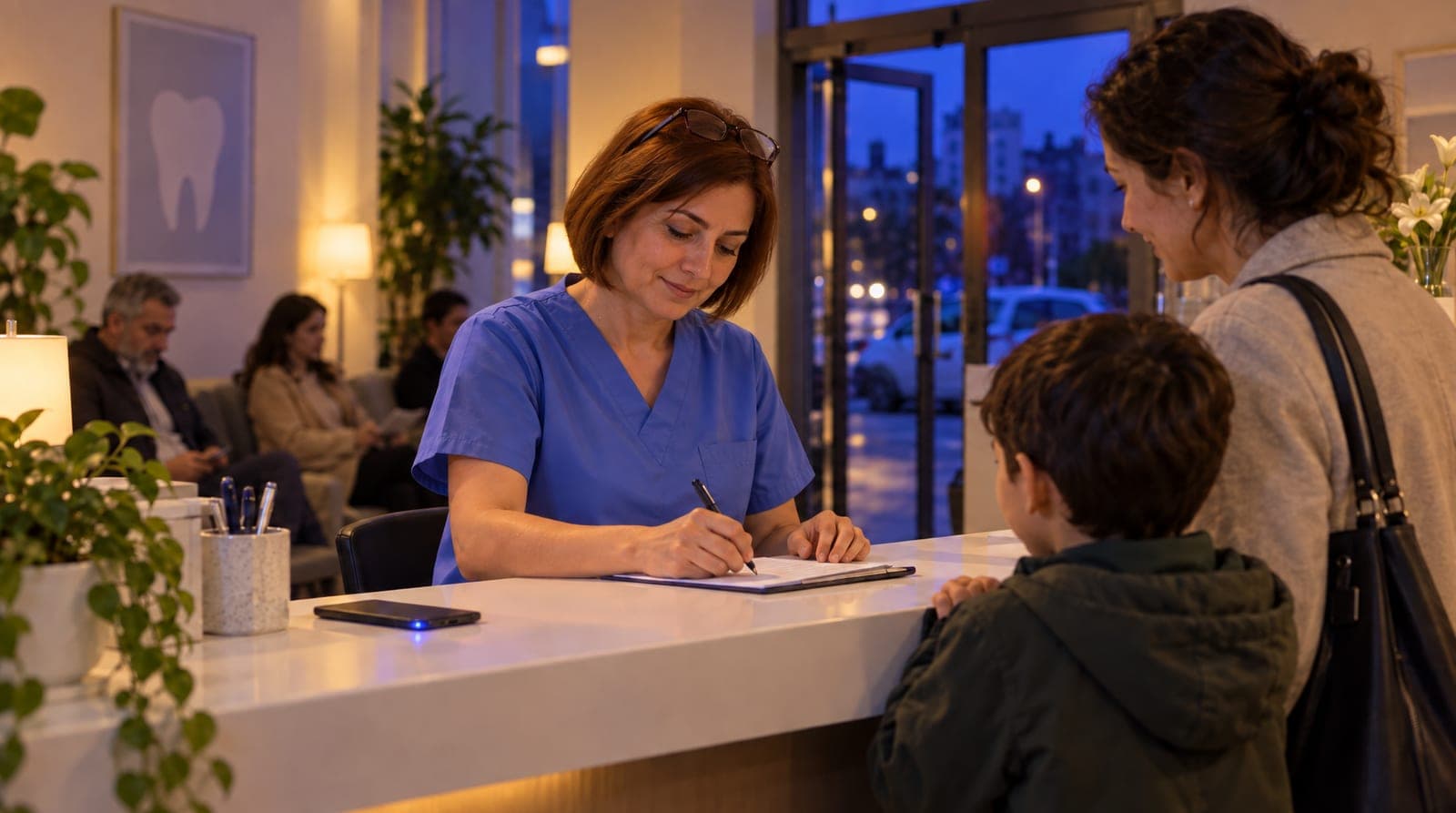
A dental clinic’s Instagram inbox: a smile-design before-and-after post got likes, and dozens of comments landed under it: "price?", "how many sessions does it take?", "implant or crown?", "how do we book an appointment?". At the same time five people are writing on WhatsApp, one is asking about zirconium in English from abroad, and one has written at midnight with a toothache. The front desk is busy at the chair, so nobody can reply to all of them within two minutes, and an appointment request answered late goes to the clinic down the street. This article explains how to set up dental clinic Instagram DM automation in inTusell, along with WhatsApp and comment replies. Every step protects patient privacy and none of them require technical knowledge.
This article is the channel leg of the dental chapter of our sector-based "how to train your AI" series. For the AI training side, see the main article in the series, dental clinic AI training. For daily operations, see how to use inTusell. The main article clinic AI training covers the whole health vertical.
Quick answer
Dental clinics connect Instagram DM, comments and WhatsApp to inTusell and work from one inbox. WhatsApp connects with a QR, no Meta Business approval needed; Instagram connects through your Meta account. The AI writes a reply 24/7 in the patient’s language and steers toward an appointment. It leaves diagnosis to the dentist and hands off to the team when needed. A new healthcare account starts in Full approval: the AI drafts the reply and it goes out once you approve; after you switch to Intern, the AI sends it itself.
The channel reality of a dental clinic
Appointment requests do not come from a single channel. A smile-design before-and-after post draws interest and comments pile up; someone else who saw the same post writes on WhatsApp; a third reaches you through the chat bubble on your website. On quiet days you can manage this spread. During a busy period, after a campaign, or while you are at the chair, you cannot.
inTusell is an AI sales assistant and CRM that answers messages on WhatsApp, Instagram and web chat, books appointments and opens orders, and follows each customer through the sales pipeline; it is not a simple chatbot. In a dental clinic it brings all of these channels into a single inbox and connects each of them to the same assistant, trained to behave like an experienced patient advisor. The assistant understands the patient’s request and suggests the right treatment category and appointment; it leaves the diagnosis to the dentist and does not decide which treatment will be performed.
Who is it for?
This article is for dental clinics that cannot fit the speed and volume of incoming demand into a single channel. Typical profiles:
- Implant, orthodontic and aesthetic dentistry clinics that receive dozens of appointment requests a day from Instagram and WhatsApp.
- Oral and dental health centers that get a flood of comments on smile-design, zirconium and clear-aligner posts.
- Clinics working with dental tourism (international patients) that lose demand because they cannot reply in several languages.
- Everyone from a single-dentist practice to a multi-branch oral and dental health clinic; the more channels there are, the greater the benefit.
Connecting WhatsApp: QR today, the official line after Meta approval
WhatsApp is the busiest channel for a dental clinic. Today you connect with a QR, and for most clinics that method is enough.
| Method | Setup | Meta Business approval | Who it suits |
|---|---|---|---|
| Connecting via QR | Scan a QR code with your phone | Not required | Most clinics that want to use their existing number |
| Official line (Cloud API) | Opens after Meta approval | Required | Institutions wanting high volume, an official API guarantee |
The QR method works like connecting WhatsApp Web. In the panel you go to My business › Channels › Messaging Channels and click "Connect with QR"; on your phone you scan the code under WhatsApp › Settings › Linked Devices › Link a Device. The number stays the same and your phone keeps working. Nothing changes on the patient’s side; they keep writing to the same number. There is no need to change your number or get a new line.
If the panel is open on the same phone, you can’t scan the QR with it; in the same window choose "Link with phone number" instead. Enter your number and an 8-character linking code appears; on the phone go to WhatsApp › Settings › Linked Devices › Link a Device, tap the option to link with a phone number and type the code.
The official WhatsApp line (Cloud API) opens after Meta approval; today you connect with a QR code or with an 8-character linking code for your phone number. A QR line can drop if the phone stays offline for a long time; the panel warns you and the link reopens the QR window. The AI replies only in one-to-one chats and never writes in WhatsApp groups.
Instagram DM automation
Instagram connects through Meta login: in the panel you click "Connect All" or the Instagram tile, then pick your Facebook Page and your Instagram account on the Meta screen. Your Instagram account must be a professional account linked to a Facebook Page. You do not copy any codes or keys by hand.
After connecting, DM replies are already on. The AI replies to incoming direct messages, and there is no extra switch to turn on. If you want the AI to stop answering DMs, turn off "Instagram DM" in the channel list in the AI settings; your team then answers DMs.
Instagram comments: their own switch and an invitation to DM
In dental clinics, post comments are a hidden appointment channel, but at the same time they are the most sensitive area in terms of privacy. Under smile-design and implant before-and-after posts, comments like "price?", "how many sessions does it take?", "would it work for me too?" pile up, and most go unanswered.
In inTusell, comment replies are switched on or off with the "Instagram comments" switch on the Instagram card; that switch is on by default. DM replies are already on once Instagram is connected. Having their own switch matters most for clinics: price and treatment details should not be discussed under public comments. If you connected Instagram before September 24, 2026, the panel shows a "Reconnect Instagram to manage comments" warning; until you reconnect once, comments get no AI reply. The AI writes one public reply to each comment; it does not reply to spam comments with links, which you hide or delete from the panel. Replying by private message (Reply with DM) opens after Meta approval.
The typical flow looks like this:
- The patient writes "price?" under a post.
- The AI leaves a public, short and neutral reply on the comment ("It varies depending on the oral structure, send us a DM for the details").
- When the patient sends a DM, the conversation continues there and the AI replies: it asks about the request and the patient’s suitability and suggests a suitable examination/consultation appointment.
This way, price and health details are not discussed in public; the sensitive conversation continues in the DM. For patient privacy, this is the right flow.
A single inbox (web chat, Telegram)
Instagram and WhatsApp are the busiest, but not the only channels. inTusell brings all of the following channels together in the same inbox:
| Channel | Connection method | Typical dental clinic use |
|---|---|---|
| Instagram DM | Meta login | Appointment requests after smile design/Reels |
| Instagram comments | Meta login + "Instagram comments" switch (on by default) | "price?" comments under before-and-after |
| QR today; official line after Meta approval | The busiest appointment channel | |
| Telegram | Bot connection | Patients writing to the clinic’s bot |
| Web chat | One line of code on the site | Site visitor appointment and treatment questions |
What this means for the team: you do not jump between different apps. All conversations are visible on a single screen, with the same patient history. A patient who starts on WhatsApp and continues on Instagram does not create two separate conversations: there is one single context. When the dentist gets up from the chair, one screen shows them everything that was discussed during the day.
The solutions and integrations pages explain in detail how the channels work and what they connect to, and you can review the dental-clinic-specific setup on the dental clinic solution page.
24/7 and multilingual replies
A large share of appointment requests arrive outside working hours. Someone sees the post in the evening and writes at night, a patient with a toothache messages at midnight, a patient abroad reaches you across a time difference. The AI does not sleep, but the mode decides when the reply goes out. In Intern, demand that arrives at night does not wait until morning, and if you have set your working hours or appointment types the AI can even book an examination appointment in a suitable slot. In Full approval, where a new healthcare account starts, the AI drafts the reply at night and it goes out once you approve. In cases like urgent pain, the AI does not make a clinical decision on its own; it informs the patient and hands the conversation to the team. The handoff lands on the Decisions screen with the full history, and the team or the dentist takes over from there.
Multilingual replies are decisive for clinics working with dental tourism. Many implant, zirconium and smile design patients come from abroad. The AI replies in whatever language the patient writes in: English to someone writing in English, German to someone writing in German, Arabic to someone writing in Arabic. You do not need a separate channel, a separate account or a translator for this. Fixed system messages such as reminders go in Turkish to patients who write in Turkish and in English to everyone else.
Reminders and no-shows
The most concrete benefit of channel automation in a dental clinic is fewer no-shows. In multi-session treatments especially (orthodontic check-ups, root canal, implant stages) a missed appointment empties the chair and disrupts the treatment schedule at the same time.
The AI does not just book the appointment. An automatic reminder goes out 1 day and 2 hours before. The one-day message asks "1 Yes · 2 Reschedule · 3 Cancel" and carries a change/cancel link; patients reminded a day ahead miss fewer appointments. If the patient tells you in advance that they cannot come, the time frees up in the calendar and can be offered to another patient. If the patient still does not show and you mark attendance in the panel (at least one "Attended" in the last 30 days), the patient who did not show gets a rescheduling message with up to 3 options from your real open times and an appointment management link. If you do not mark attendance, this message is not sent, because "missed" would only be a guess. The dental clinic appointment automation and reducing no-shows article covers this engine in detail. Appointments also appear in the dentist’s calendar through the one-way transfer to Google Calendar; an event you add in Google does not block the time in inTusell. Reminders run on paid plans; on the Free plan automations are off.
Channel setup strategy
The best move is to turn automation on before a busy period starts. Here is what we do in the field:
- Prepare the knowledge base and appointment system first. Define treatment descriptions (implant, orthodontics, whitening, zirconium, root canal), preparation instructions, working hours and appointment types in the panel. The dental clinic AI training article covers the details.
- Start with DM and WhatsApp. Instagram DM is approved and WhatsApp connects right away with a QR; DM replies are already on once Instagram is connected. Most clinics handle their appointment traffic here.
- Check the comment switch. Comment replies are switched on or off with the "Instagram comments" switch on the Instagram card; this switch is on by default. If you connected Instagram before September 24, 2026, reconnect it once; then watch the AI’s tone on low-risk, neutral comment replies.
- Choose the account mode. A new healthcare account starts in Full approval: every reply on WhatsApp, Instagram and Telegram, and any action the AI would take (such as booking), waits for your approval in Decisions › Approval Queue; in this mode web chat replies wait in the same queue and appear in the visitor's chat window once approved, if it is still open. When it lacks the information, it does not invent an answer; it hands the conversation to your team. Once you see yourself approving drafts unchanged, switch to Intern: it sends replies itself and asks you before a cancellation or refund. The setting lives under My business › Instructions › AI Settings › "Advanced AI Settings".
- Review and turn fixes into rules. In the first weeks, take a short daily look at replies in AI Test and in Conversations. When you see a wrong or missing answer, add the fact to the knowledge base or write a rule in AI Rules. Approvals and corrections in the Label Manager are kept as a quality record; they do not change how the AI writes replies today.
This flow lets the system settle before the rush arrives. Instead of putting out fires, your team focuses only on conversations that genuinely need a human: the dentist above all. The how to use inTusell article shows step by step how daily operations run.
What it isn’t
So that nobody puts it in the wrong category, let’s be clear:
- It is not a bulk message or spam tool. inTusell is an assistant that replies to incoming demand; it does not send unsolicited bulk DMs.
- It is not a simple keyword-driven chatbot. It is not a "when this is written, say that" scenario tree, but a patient advisor that understands the request.
- It is not a system that changes your number. Your WhatsApp number stays the same, and the patient notices no difference.
- It is not a system that diagnoses or recommends treatment. It does not diagnose, does not build a treatment plan and does not say "this tooth should be extracted". It leaves the clinical question to the dentist and the examination. Sector instructions and an output filter (a pattern scan plus a second-model check) flag misleading health promises.
- It is not a system that invents what it does not know. If it does not know a price, a stock level or a treatment detail, it does not make one up. It says it does not know and hands off to the team or the dentist.
- It is not a tool that replaces the clinic. The dentist always provides the treatment; inTusell is the answering and appointment layer.
Frequently asked questions
Do I need to change my clinic WhatsApp number?
No. You connect your existing dental clinic WhatsApp number by scanning a QR from your phone; the number stays the same and the patient notices no difference. There is no need to get a new line or port a number.
Is Meta Business approval required for WhatsApp?
Not with the QR method: you scan the code with your phone and the channel connects without Meta Business approval. The official line (Cloud API) opens after Meta approval. Instagram connects through Meta login: you pick your Facebook Page and Instagram account, with no keys or tokens to copy.
Does the AI also reply to comments on smile design or implant posts?
Yes. Comment replies are switched on or off with the "Instagram comments" switch on the Instagram card, and that switch is on by default; DM replies are already on once Instagram is connected. If you connected Instagram before September 24, 2026, you need to reconnect it once; until then no comment gets an AI reply. To avoid discussing price and treatment questions in public, the AI leaves a short, neutral reply on the comment and invites the patient to send a DM. When the patient sends a DM, the conversation continues there.
What happens with a patient writing in English from abroad?
The AI replies in whatever language the patient writes in. For implant, zirconium and smile design, international (dental tourism) patients are answered in English, German or Arabic without setting up a separate channel and without an additional translator.
Does the AI diagnose the patient or recommend treatment?
No. The AI does not diagnose and does not build a treatment plan; it handles appointments, service information and direction. It leaves questions like "should the tooth be extracted" or "root canal or filling" to the examination and the dentist. The AI’s instructions forbid misleading health promises, and a medical safety layer also scans for and flags such expressions.
When does the AI hand off to the live team?
The AI hands off when it is unsure or a person is needed; a clinical decision, an urgent pain complaint or a sensitive situation goes to the team and the dentist. Handoffs land on the Decisions screen with the full conversation history. You choose the account mode. A new healthcare account starts in Full approval: every reply on WhatsApp, Instagram and Telegram, and any action the AI would take, waits for your approval. Once you switch to Intern, it sends replies itself and asks you before a cancellation or refund.
Next step
Connecting the channels is half the job. The real difference comes from training the AI correctly. To set up treatment information, the appointment system, the tone and the health boundaries, start with the main article in the series, dental clinic AI training. Then see daily operations in how to use inTusell. For more on appointments and no-shows, read dental clinic appointment automation. For the health vertical in general, read the main article clinic AI training. If you are in a different sector, the tour agency AI training article covers the tourism counterpart of the same channel structure. The pricing page explains the packages and the usage model, and all articles lists the whole series.
If you would like to see how it works in your own clinic, get a demo or write to hi@intusell.com. We will connect your channels together and watch the assistant handle the first requests live.
You read the blog. Now see it live.
Test inTusell live with your own sector scenario in a 20-minute demo.