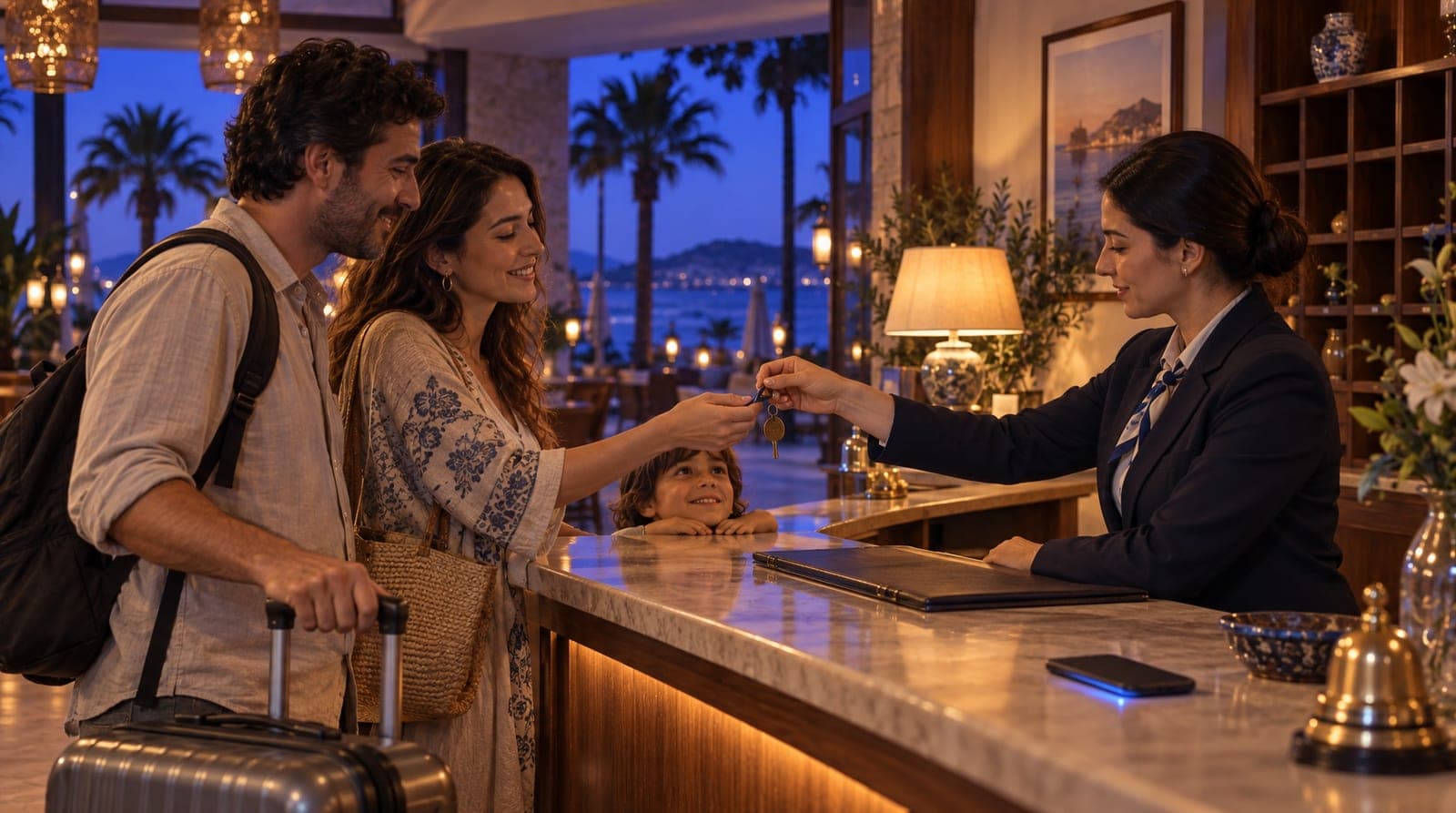
How a hotel uses inTusell: daily operations guide
How a hotel uses inTusell day to day: from a DM room question to a quote, booking, bank transfer or iyzico payment and handoff to your team.

In the first article, you trained the inTusell AI: you uploaded your room types and property information to the knowledge base, flagged sales conversations, and configured the persona and response rules. Training was a one-time setup. Now the real work begins: how does a hotel or hospitality property use inTusell: that is, how does using inTusell at a hotel work in daily operations? This article shows, step by step, how the assistant you trained works over the course of a workday in the field, from an incoming DM to a reservation, from payment to a human handoff.
This article is the second part of the hotel and hospitality section of our sector-by-sector "how to train your AI" series. The first part, how to train the inTusell AI, covered the setup; this one covers turning that setup into daily operations.
Quick answer
A hospitality property uses inTusell to answer room, date and price questions from Instagram DM and WhatsApp 24/7, quote from the rates in the Stays module, check availability, open the reservation and route payment to the property by bank transfer or iyzico. inTusell is not a simple chatbot but an AI sales assistant and CRM; it never invents prices.
A day in the flow
The typical day of a property running inTusell is very different from before. In the past, the front desk or reservation manager would arrive in the morning and scan dozens of unread DMs and unanswered WhatsApp messages one by one. Now the messages that came in overnight are already answered, leads are categorized, and some reservations are already underway. The backbone of a day looks like this:
| Time | Customer side | What inTusell does |
|---|---|---|
| 02:14 | "Got a sea-view room for July 14-17?" | Checks availability, gives the nightly price from the tariff |
| 09:00 | Front desk/reservation team logs in | Overnight leads are ready in the single inbox |
| 11:30 | Customer says "can we hold it?" | Room is held temporarily on option, moves to the payment step |
| 14:00 | Customer asks how to pay | Amount, IBAN and booking reference go in one message; the team approves the receipt |
| 16:45 | Group/event request | AI hands the off-tariff case to Decisions and your team |
| 23:30 | Customer who got a quote and went quiet | No message at night; the follow-up goes the next day within business hours |
The team is no longer occupied with scanning messages, but with the conversations that genuinely require a decision.
Who is it for?
This usage model makes particular sense for these properties:
- Properties that receive heavy demand from Instagram and WhatsApp: those that cannot keep up with dozens of "do you have a room free, what’s the price?" messages a day.
- Operations that lose after-hours demand: those that miss sales because reservation questions coming in evenings and weekends are answered late.
- Properties with fixed room types and seasonal tariffs: those that sell standard, deluxe, suite room types through repeated questions.
- Boutique hotels, aparts, and guesthouses managing many channels with a small team: those forced to track DMs, WhatsApp, and comments separately.
If you have a demand volume that a single reservation manager cannot keep up with, inTusell works like a senior salesperson handling that demand.
Incoming request: the customer asks about a room, the AI recommends a suitable room type
The flow begins with the customer sending a message. Imagine someone writing from Instagram DM, "We’re thinking of a 3-night stay in early August, 2 adults and 1 child." The AI reads this message, scans your property information and room types in the knowledge base, and recommends the room type that fits the customer’s need.
An important point: whatever language the customer writes in, the AI replies in that language. For properties that host foreign guests, this is critical: a room question that comes in English gets an English answer, with no extra setup required.
If you added the "ask about the need before giving a price" response rule during training, the AI first clarifies the check-in/check-out dates, the number of guests, and the room type preference. With that rule in place, the offer is not random; it is based on the customer’s real need. We also explain separately how all these channels are unified in a single inbox in the Instagram and WhatsApp automation article.
Price and availability: the AI offers from the rate plan
This is the most sensitive point for hospitality properties. The AI does not invent the price and availability. It gives the offer only from the rate plan and availability calendar you have defined. This flow runs on the Stays module (beta): your sector must be Hotel & Accommodation and you need to enable the module; while it is off, the AI never sees the room tools. Pricing works by date and room type; seasonal differences also come from this tariff:
| Question type | Where the AI answers from |
|---|---|
| Nightly price | Room type × date range (rate plan) |
| Season difference | Rate plans with date ranges |
| Child/extra bed | The child and extra-bed policy in your knowledge base |
| Availability | Live room inventory for that date |
For a "3 nights, 2 adults and 1 child" request, the AI clarifies the check-in/check-out dates, checks whether the room is available in that range, and gives the total offer including the season difference in one go. By default, the currency is the one you defined.
If something not in the tariff is asked, for example, a date range you have not defined, a group reservation, or a special-event price, instead of inventing a price the AI suggests connecting the customer to the live team. This behavior prevents you from giving the customer a wrong price and then having to correct it; this is the foundation of trust.
You’ll find in detail how room types, rate plans, and the availability calendar are set up, and how the reservation engine works with locked allocation, in the room reservation automation article.
Availability and reservation: room allocation and overbooking
When the customer likes the offer and says "can we hold it?", the reservation lifecycle kicks in. The flow proceeds in a clear sequence:
offer (room + date + price)
  → option_hold (room temporarily allocated)
  → awaiting_payment (awaiting payment)
  ↔ partially_paid (partial payment)
  → fully_paid (full payment)
  → confirmed (confirmed)
  → checked_in → checked_out
The cancellation, refund, and no_show branches are also within this cycle. When the reservation starts, room allocation kicks in: the quota check and the allocation happen in one transaction while the availability row is locked. Within inTusell the same room is not sold twice. Even if two guests want the last room for the same date at the same time, the system sells it to only one of them; the second is told it is not available and is offered a suitable alternative. This protection covers inTusell’s own calendar: there is no channel manager connection, so rooms you sell on OTAs or by phone you record yourself in the availability calendar by lowering the quota or closing sales (stop sale). That removes, for bookings coming through inTusell, the most common nightmare for properties working with a manual calendar or Excel: selling the same room twice.
You are not limited to a single property: if you manage more than one property (for example, two separate guesthouses or aparts), each property’s room types, tariffs, and availability are kept separate, all managed from the same inbox.
Payment: bank transfer/IBAN by default, iyzico optional
When the customer reaches the awaiting_payment stage, the payment step begins. Here you have two options:
- Bank transfer/IBAN (default): Requires no integration. The AI sends the amount, your IBAN and a booking-specific reference code in one message. When you see the money in your account you confirm it with "Mark as paid"; the status moves to partially_paid or fully_paid. The AI never records a payment itself or says "payment received" before your approval.
- iyzico card payment (optional): You enter your own iyzico keys; the guest gets a payment link, and when the payment callback arrives the collection is written to the reservation and the status moves on by itself.
You choose the method in the Stays settings; both can stay open at once.
In both cases the core rule does not change: the seller is always the property. Payment goes directly to the property’s account, and the invoice is issued in the property’s name. inTusell never steps in between or takes a seller position at any stage. For product and pricing details, you can see the solutions and pricing pages.
KVKK consent and guest information
As the reservation progresses, guest information is collected. The guest record holds name, phone and nationality; for guest registration, the national-ID or passport number is entered in the panel. inTusell gives you these tools:
- Consent record and legal notice: Consent is recorded per channel and purpose, with time. "Legal notices" in My business › Business Info sends the guest a short KVKK notice at first contact carrying your own privacy link; it is on by default.
- Encrypted storage and audited reveal: Data is stored encrypted and each business’s data is kept separate. ID and passport numbers show only their last four digits in the list; full reveal is limited to Owner and Admin, and every reveal is written to the audit log. Custom fields you mark as highly sensitive are never saved by the AI without your confirmation.
This lets you answer the "what did the guest accept and when?" question with evidence in case of an audit or dispute.
During the stay: room service and request management
inTusell works not only before the reservation but also after the guest checks into the property. When a guest writes from WhatsApp "is a late checkout possible tomorrow?", "could I get extra towels in the room?", or "can we book a dinner reservation?", the AI takes these requests and puts them on the concierge list as a service request. This concierge-style flow keeps the front desk from being swamped by phone calls and makes sure the guest’s request is recorded.
The rule here is the same: before committing to anything, the AI checks the knowledge base and your policies. In a situation it does not know or that requires approval, for example, a paid late checkout, it routes the request to the team.
Following up the quiet customer: proactive follow-up and CRM
In hospitality, most leads are lost with guests who say "let me think about it" and disappear. inTusell does not forget these leads. A customer who got an offer and went quiet gets at most 3 follow-up messages written by the AI; they go out only within business hours on WhatsApp, Instagram or Telegram and stop when the customer replies or asks not to be contacted. Every conversation is logged into the CRM, so the customer’s history, which date and room type they were interested in, and what stage they stopped at remain on record.
A boundary needs to be drawn clearly here: inTusell does not maintain a managed "waitlist." What it does is send these follow-up messages to a guest who went quiet, for example a reminder to a guest who got a price, in the tone of "Can I help with the dates you asked about?". This way, when you settle into operations in the morning, it is clear which lead is hot and which is awaiting follow-up. You do not need to keep a manual reminder list.
Appointment and reminder engine (if needed)
Most of hospitality’s flow revolves around room reservations, but some properties also use appointments: a spa/massage session, restaurant reservation, tour, or transfer planning. inTusell’s universal appointment engine works in these cases too.
The AI does not give a time out of thin air. It first collects the date, time and any note. What happens next depends on your account: if the AI booking tools are on, it checks the working hours you defined during training and booked times and books the free slot itself; if not, it passes the request to your team with those details, and you confirm the time or the customer picks a free slot on your online booking page. To see which applies, ask for an appointment in AI Test. On paid plans an automatic reminder goes out 1 day and 2 hours before each appointment, and the customer manages their appointment themselves via the /manage-appointment/{token} link, cancelling or rescheduling. Appointments are copied one-way to Google Calendar (inTusell → Calendar); the team sees them in their own calendar, but an event added in Google does not block the time in inTusell. This module can be enabled in any plan; if you do not need it, you simply never use it.
Human handoff: working modes
You decide how much the AI does on its own. Account-wide there are three modes (My business › Instructions › AI Settings › Advanced AI Settings):
| Mode | Behavior | When |
|---|---|---|
| Intern (default) | Sends replies itself; asks you before a cancellation or refund | The starting point for most properties |
| Senior | Also handles cancellations and refunds itself | When you trust the AI’s decisions |
| Full approval | On WhatsApp, Instagram and Telegram every reply waits for your approval | The first days or a sensitive period |
In every mode the AI hands a group reservation request it cannot answer or an off-tariff price question to your team. The handoff lands on the Decisions screen with the full conversation history; the customer does not have to start over. If you want a single conversation handled differently, for example a sensitive group negotiation, switch it to Approval, Shadow or Paused.
One additional note: when a customer sends an ID photo, a payment receipt, or a document, that alone is not a reason to hand off to a human. The AI takes the attachment, understands the context, and continues the flow; a receipt lands on Decisions for your team’s approval. It hands off only if there is a situation that genuinely requires a decision.
How the AI is constrained: the guardrail layer
In hospitality, wrong information is costly: promising a view that does not exist, confirming a date that is not available, or quoting the wrong price. The primary control is the sector-specific instructions: the AI speaks only from the room types, rates and policies you defined and reads price and availability from the Stays engine. On top of that, an output filter (a pattern scan plus a second-model check) scans replies for misleading health and legal promises and flags them; it does not block everything.
The practical result: the AI does not invent what it does not know; it says so and hands off to a human.
Reports: what’s working, what to fix?
For operations to be visible, you track core metrics on the panel. How many messages came in from which channel, how many were answered by the AI, how many were handed off to a human, how many people sit at which stage of the sales pipeline: seeing these serves two purposes:
- Finding knowledge-base gaps: If there is a topic the AI frequently says "I don’t know" about and hands off, that information is missing from the knowledge base; once you add it, that topic no longer needs a handoff.
- Improving the rules: When you see a wrong or missing answer, you write a rule in AI Rules or tell the AI Manager Chat in a plain sentence. Corrections in the Label Manager are a quality record; they do not change how the AI writes replies by themselves. If you like, you compare two tones (formal and friendly, for example) with the beta A/B test.
In other words, reports are not just a summary but the feedback loop for sharpening the assistant over time.
What it isn’t
To put inTusell in the right category, let’s clarify what it is not:
- It is not a simple chatbot. inTusell is an AI sales assistant and CRM that answers messages on WhatsApp, Instagram and web chat, books appointments and opens orders, and follows each customer through the sales pipeline.
- It is not an OTA / channel manager. It does not provide marketplace inventory like Booking or Expedia, nor sync availability or rates with them; it uses your room types and tariff, and the seller is the property.
- It is not a source of prices and availability. It does not invent information; it speaks only from the tariff and availability you have defined, says it does not know, and hands off.
- It is not a product priced specifically for hospitality. Plans differ only by messages, voice minutes and storage and do not change by sector; channel count is never charged. The Stays module (beta) can be enabled on any plan.
So that you do not start with the wrong expectation, let these boundaries be clear from the outset.
Frequently asked questions
Does the AI complete the reservation on its own?
When the Stays module is on, the AI recommends a suitable room type, asks for the dates and number of guests, checks availability, opens the reservation and takes the customer to the payment step. Allocation happens in one locked transaction, so within inTusell the same room is not sold twice. In risky or off-tariff situations it hands the conversation to your team. The final confirmation can always stay with the property.
Does the AI invent prices and availability?
No. The AI states the nightly price and room availability only from the rate plan and availability calendar you have defined. It does not invent a date, room type, or price you have not defined; it says it does not know and hands off to your team.
Can overbooking happen?
For bookings that come through inTusell, the same room is not sold twice: the quota check and the allocation happen in one transaction while the availability row is locked. There is no channel manager connection; rooms you sell on OTAs or by phone you record yourself in the availability calendar by lowering the quota or closing sales.
Can a customer be connected to a human?
Yes. When the AI is unsure or a conversation needs a person, it hands off to your team; the handoff lands on the Decisions page with the full conversation history. You can take over any conversation at any time, or switch just that conversation to Approval, Shadow or Paused.
What happens to a message that comes in overnight?
The AI replies 24/7. A "do you have a room free on these dates?" question that comes in at 2:00 a.m. gets an availability and price answer without waiting for the morning; if it works, it routes to a reservation. When you open up in the morning, ready leads and offers are waiting for you.
Which channels does it unify in a single inbox?
WhatsApp, Instagram DM, Instagram comments, Telegram, and web chat are unified in a single inbox. If you connected Instagram before September 24, 2026, you need to reconnect it once for comments.
Next step
If you have not yet trained your assistant, start first with the how to train the inTusell AI article: the foundation of this operation is built there. If you want to go deeper on the channel side, you can move on to the Instagram and WhatsApp automation article, and to see the room reservation engine in detail, the room reservation automation article; you can see the hotel and hospitality solution page and the whole series on the all posts page. If you’re curious how the same approach is applied in other sectors, the tour agency training guide and the clinic training guide are good examples.
To see live how it would work at your own property, get a demo or write directly to hi@intusell.com. In a short session, we open your inbox together and test the first offer in the system.
You read the blog. Now see it live.
Test inTusell live with your own sector scenario in a 20-minute demo.