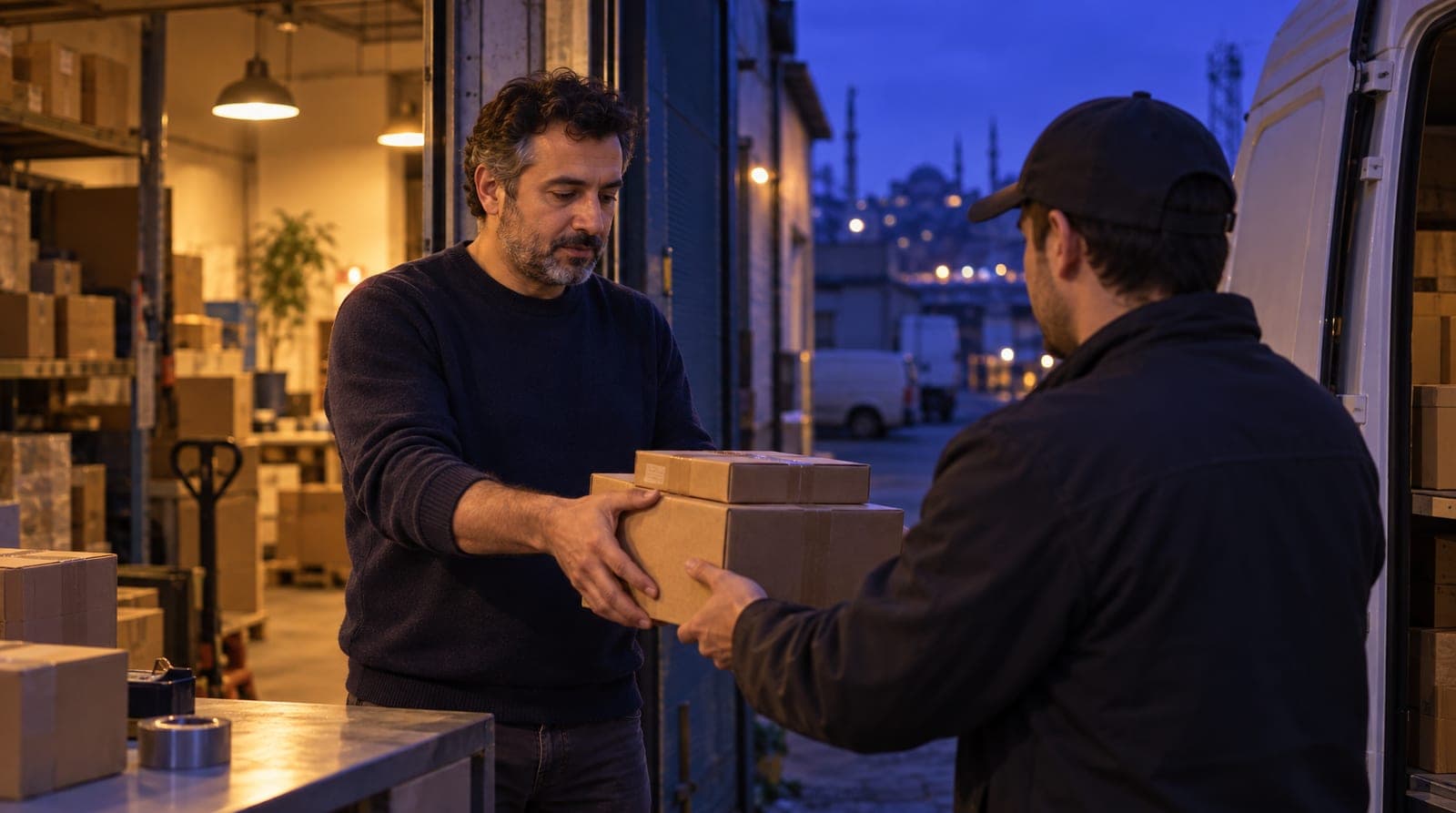
E-commerce order and product question automation
E-commerce order and product question automation: shipping, return and size answers from the knowledge base, stock and order status from your store.

In e-commerce, the customer support load doesn’t come from one place. "Where’s my package?", "do you have this size?", "how do I return this?", "do you offer cash on delivery?": the same questions arrive every day, on every channel, dozens of times. Most teams answer them one by one on WhatsApp, Instagram DM, and web chat, and fall behind during campaign periods. This article explains how to build the answer engine for e-commerce order and product question automation on inTusell: fixed information from the knowledge base, stock and order status from your connected store. It is the order and product leg of our sector-by-sector "how to train your AI" series; for the series’ e-commerce pillar, see how to train the inTusell AI.
Quick answer
You upload fixed information such as shipping times, return conditions, size charts and payment methods to the inTusell Knowledge Base; stock and order status come from your connected store. The AI answers WhatsApp, Instagram and web chat questions from these sources and says only in stock or out of stock. It never invents missing facts; it hands off instead.
Why a knowledge base and a connected store
There are two reasons to move order and product questions to the AI: winning back the hours spent on the same questions, and giving consistent, accurate information on every channel. In manual mode, each rep answers from their own memory and in their own writing style; the return condition changes from person to person, and the shipping time is sometimes stated wrong. In inTusell there is a single source of truth, and the AI reads the same text no matter which channel the question comes from.
Think of the concrete difference this way:
| Situation | Manual support | inTusell |
|---|---|---|
| Recurring questions | By hand every time | Automatic answer 24/7 |
| Consistency | Varies by rep | One source, the same answer |
| Number of channels | A separate window per channel | A single inbox |
| Wrong information | Prone to human error | The AI reads only from the knowledge base and the connected store |
| Campaign load | The team can’t keep up | The AI answers, the team handles exceptions |
inTusell is not a simple chatbot; it is an AI sales assistant and CRM that answers messages on WhatsApp, Instagram and web chat, books appointments and opens orders, and follows each customer through the sales pipeline. It works like a senior sales advisor: it doesn’t pull a return condition out of thin air, it checks the policy; it doesn’t guess a size, it checks the store.
Who is it for?
- Online stores and brands selling through WhatsApp, Instagram, and their website.
- Support teams answering recurring questions like "where’s my package," "do you have this size," and "how do I return this" dozens of times a day.
- Businesses whose message volume multiplies during campaign and sale periods, beyond what the team can handle.
- Teams that want to give the same information consistently across multiple channels and avoid conflicting answers.
No technical knowledge is required; setup is done from the panel.
Two kinds of information: fixed text and live status
Separating two different kinds of information is the foundation of e-commerce answers. inTusell reads them from different places:
| Type of information | Example | Source |
|---|---|---|
| Fixed policy and product text | Shipping time, return condition, size chart, payment methods, material and care | Knowledge Base |
| Live status | Is it in stock, the status of this order, the tracking number | Connected store (beta); without a store, handoff to the team |
Fixed text doesn’t change from customer to customer: "Orders ship within 1-3 business days" is the same for everyone. You upload it to the Knowledge Base once, and the AI reads it from there every time it’s asked. Live status ("where exactly is my order", "is size 42 in stock right now") is not static text; it is read from your store. Keeping this distinction clear ensures the AI gives the right information from the right source.
1. Setting up the Knowledge Base
The foundation of the answer engine is the Knowledge Base (My business › Knowledge › Knowledge Base). You add your store’s fixed information from these sources:
- Files: return policy, distance sales contract, shipping terms, product catalog, size chart; as PDF, Word, Excel, CSV, TXT or images (up to 50 MB per file). Short rules such as "cash on delivery only for orders under a set amount" can go into a small file too.
- Website scan: you give the address of your FAQ page, shipping information page or product pages; the content is read and the site is re-scanned every week.
- Instagram profile: your last 100 posts are imported; product information in the captions becomes part of the sources.
- FAQ suggestions: suggestions drawn from customers’ most frequent questions come to you; the ones you approve are added.
Every source you upload is split into chunks and made searchable. When the AI answers a question, it finds the most relevant chunks and builds its answer only from them. You’ll find step by step how to shape the AI to answer correctly in how to train the inTusell AI.
2. What information you should upload
Nearly all recurring e-commerce questions fall under a few headings. If you feed the Knowledge Base with these clusters, the AI is ready for the questions:
| Topic | Content | Typical question |
|---|---|---|
| Shipping | Carrier, time, cost, free-shipping threshold | "When will it reach me?" |
| Returns and exchanges | Time window, conditions, who pays shipping, refund method | "How do I make a return?" |
| Payment | Methods, cash on delivery, installments, bank transfer | "Do you offer cash on delivery?" |
| Product | Size chart, material, color, care | "Does this cut run small?" |
| Order process | Order confirmation, preparation, cancellation terms | "Can I cancel my order?" |
The key distinction: policy and description texts come from the Knowledge Base; stock and order status come from the store. You don’t mix the two, so the AI reads every piece of information from the right source.
3. Connecting your store (beta)
Store connections live under My business › Channels › Store Integrations; platforms such as Shopify, Trendyol, ikas, Hepsiburada and PrestaShop are in beta. After connecting, ask about a few products and an order in AI Test to check. With a connected store:
- Stock: the AI says "in stock" or "out of stock"; it never gives the count. If an item is out, it can suggest a similar product or size.
- Purchase: the customer is sent to the store’s own checkout; the purchase and payment happen there, and the AI creates no separate payment link.
- Order status notifications: as an order moves forward in the store, the customer can get a WhatsApp notification. You choose the stages in Store Integrations (Payment received, Preparing, Shipped, Delivered, Cancelled); these messages are fixed templates, not written by the AI.
Without a connected store, and with Payment tracking on, the AI confirms the product and amount with the customer, opens the order itself and sends the customer an order tracking link; for bank transfer payments your team approves the receipt.
4. Bringing channels into a single inbox
Order and product questions arrive on every channel; the AI’s value lies in answering all of them in one place, from one source. inTusell brings these channels together in a single inbox:
- WhatsApp: under My business › Channels › Messaging Channels you click "Connect with QR" and scan the code with your phone, or use "Link with phone number" to get an 8-character linking code. Your number stays the same and no Meta Business approval is needed; the official line (Cloud API) opens after Meta approval.
- Instagram DM and comments: connected through Meta login; a professional account linked to your Facebook Page is required.
- Telegram and web chat: both in the same inbox.
DM replies are already on once Instagram is connected; comment replies are turned on or off with the "Instagram comments" switch on the Instagram card and are on by default. If you connected Instagram before September 24, 2026, you need to reconnect it once for comments. You’ll find the hands-on side of channel setup in Instagram and WhatsApp automation.
5. The most critical rule: the AI doesn’t make things up
This is the most important point of trust in automatic answers, and in e-commerce it directly affects customer satisfaction. The AI generates answers only from the sources in the Knowledge Base and from the connected store. If a piece of information isn’t there (a campaign condition you didn’t upload, a product not in the store), the AI doesn’t guess. Instead, it:
- Recognizes that the information isn’t in the sources.
- Doesn’t tell the customer a made-up number, date, or condition.
- Honestly says it doesn’t know and hands the conversation off to your team; the handoff lands on Decisions.
In other words, it doesn’t write sentences like "it’ll probably arrive tomorrow" or "I think that size is available," which would put you in a tough spot later and lead to returns and complaints. Saying it doesn’t know is far more valuable in e-commerce over the long run than giving a wrong delivery date.
What drives this behavior is the instruction the AI gets from the start: "speak only from the sources, never invent price or stock"; it won’t make up a price either. This is a working rule, not a guarantee, which is why it matters to check replies in AI Test and Conversations during the first weeks and add missing information to the sources.
6. Customer-specific order and shipping status
"Where exactly is my order?" can’t be answered with fixed text; it’s personal. If your store is connected, the AI finds the order like this:
- If the customer writes on WhatsApp, the order is found from the number they are writing from.
- On another channel or a different number, the AI asks for the order number together with the phone (or email) used on the order. A phone number typed into the chat that is not the customer’s own WhatsApp number does not, on its own, open someone else’s order.
- On Instagram and web chat, the order number is needed.
Once the order is found, the AI gives the status and, when available, the carrier, tracking number and tracking link. If it can’t find the order, or the topic turns sensitive (a damaged product, a lost package, a payment dispute), it hands the conversation to your team. Without a connected store, the AI explains where to find the order number and the carrier’s tracking page based on the Knowledge Base, and hands off when live status is needed.
What matters is that the AI never invents an estimated delivery date. It gives policy information like "ships within 1-3 business days," but it doesn’t make a promise it can’t verify, like "your package will be at your door tomorrow at 2:00 PM."
7. Handing off to a human: working modes
Not every e-commerce conversation is the same; the AI can comfortably run some, while others need a human touch. There are three account-wide modes (My business › Instructions › AI Settings › "Advanced AI Settings"):
| Mode | Behavior | When |
|---|---|---|
| Intern (default) | Sends replies itself; asks you before a cancellation or refund | The starting point for most stores |
| Senior | Also handles cancellations and refunds itself | When you trust the AI’s decisions |
| Full approval | On WhatsApp, Instagram and Telegram every reply waits for your approval | The first days, before a big campaign, or a sensitive period |
In a sensitive complaint, switch just that conversation to Approval, Shadow or Paused; handoffs land on Decisions with the full history. One more point: a customer sending a file, image, or voice attachment is not, on its own, a reason to hand off to a human. The AI evaluates the attachment; the handoff decision depends on the content of the topic. You’ll find how these handoffs are managed in daily operations in how to use inTusell.
8. Re-engaging quiet customers
E-commerce has plenty of customers who ask a question and disappear. A customer who got information and went quiet receives up to 3 follow-up messages written by the AI; wait times are set by sector, and messages go out only within business hours (otherwise 09:00-21:00 local time) on WhatsApp, Instagram or Telegram. The follow-up stops when the customer replies, pays for the order or says "don’t write". Every question stays a sales opportunity, without anyone being pestered.
What it isn’t
- It isn’t a simple chatbot. It is not a flow bot answering from preset templates but an AI sales assistant and CRM that works with your knowledge base and connected store.
- It isn’t an e-commerce platform (store software). Your store platform handles payments, inventory management, and hosting product pages; inTusell is the sales and support layer that talks on top of it.
- It isn’t a shipment tracking system. It passes on the tracking information from the connected store or directs the customer to the right tracking step; it doesn’t locate the package itself.
- It isn’t a bot that makes things up. It answers only from your sources; what it doesn’t know, it hands off to your team.
- It isn’t a product priced specifically for e-commerce. Plans differ only by messages, voice minutes and storage, not by sector; channel count is never charged. For plan details, see the pricing page.
Frequently asked questions
How do I teach inTusell my order, shipping, and return information?
There are two sources. Fixed texts such as shipping times, return/exchange conditions, size charts and payment methods go into the Knowledge Base as files, a website scan or your Instagram profile. Stock and order status come from your connected store (Shopify, Trendyol, ikas, Hepsiburada, PrestaShop and others; beta). Without a connected store, the AI speaks only from the knowledge base.
Will the AI make up a wrong shipping time or return condition?
No. The AI generates answers only from the sources in your Knowledge Base and from your connected store. If a piece of information isn’t there, the AI doesn’t guess a number or a condition; it says it doesn’t know and hands the customer off to your team. This is the most critical trust rule in e-commerce.
Which channels can I bring into a single inbox?
WhatsApp, Instagram DM, Instagram comments, Telegram and web chat come together in a single inbox. You link WhatsApp with a QR code or with an 8-character linking code for your phone number; no Meta approval is needed. The official line (Cloud API) opens after Meta approval. If you connected Instagram before September 24, 2026, you need to reconnect it once for comments.
Can the AI tell a customer where their order is?
Yes, if your store is connected. If the customer writes on WhatsApp, the order is found from that number; on another channel or a different number, the AI asks for the order number and the phone on the order. It gives the status, plus the carrier, tracking number and tracking link when available. If it can’t find the order, it hands off to your team; it never invents a delivery date.
Will I stop answering the same questions over and over during busy campaign periods?
Yes. The AI answers most recurring questions like "where’s my package," "do you have this size," and "how do I return this" 24/7. Your team only deals with genuine exceptions and the handoffs that land on Decisions.
Is it hard to keep the Knowledge Base up to date?
No. When a shipping time changes or you update your return policy, you refresh the file in the panel; your website is re-scanned every week anyway. The AI uses the updated text in its next answer. There is a single source of truth, so you don’t update channel by channel.
Next step
Once you’ve set up the answer engine, you can go in two directions. To shape the AI with your products, your tone, and your sales style, read how to train the inTusell AI. To see how incoming questions and handoffs are managed in daily operations, move on to how to use inTusell. You’ll find the channel-connection side in Instagram and WhatsApp automation, the setup steps in the e-commerce user guide, and the sector overview on the e-commerce solution page. All articles are on the blog.
If you’d like us to set up your Knowledge Base and store connection together, Get a demo or write to hi@intusell.com; we’ll load your shipping, return, and product information and test the first automatic answers together.
You read the blog. Now see it live.
Test inTusell live with your own sector scenario in a 20-minute demo.