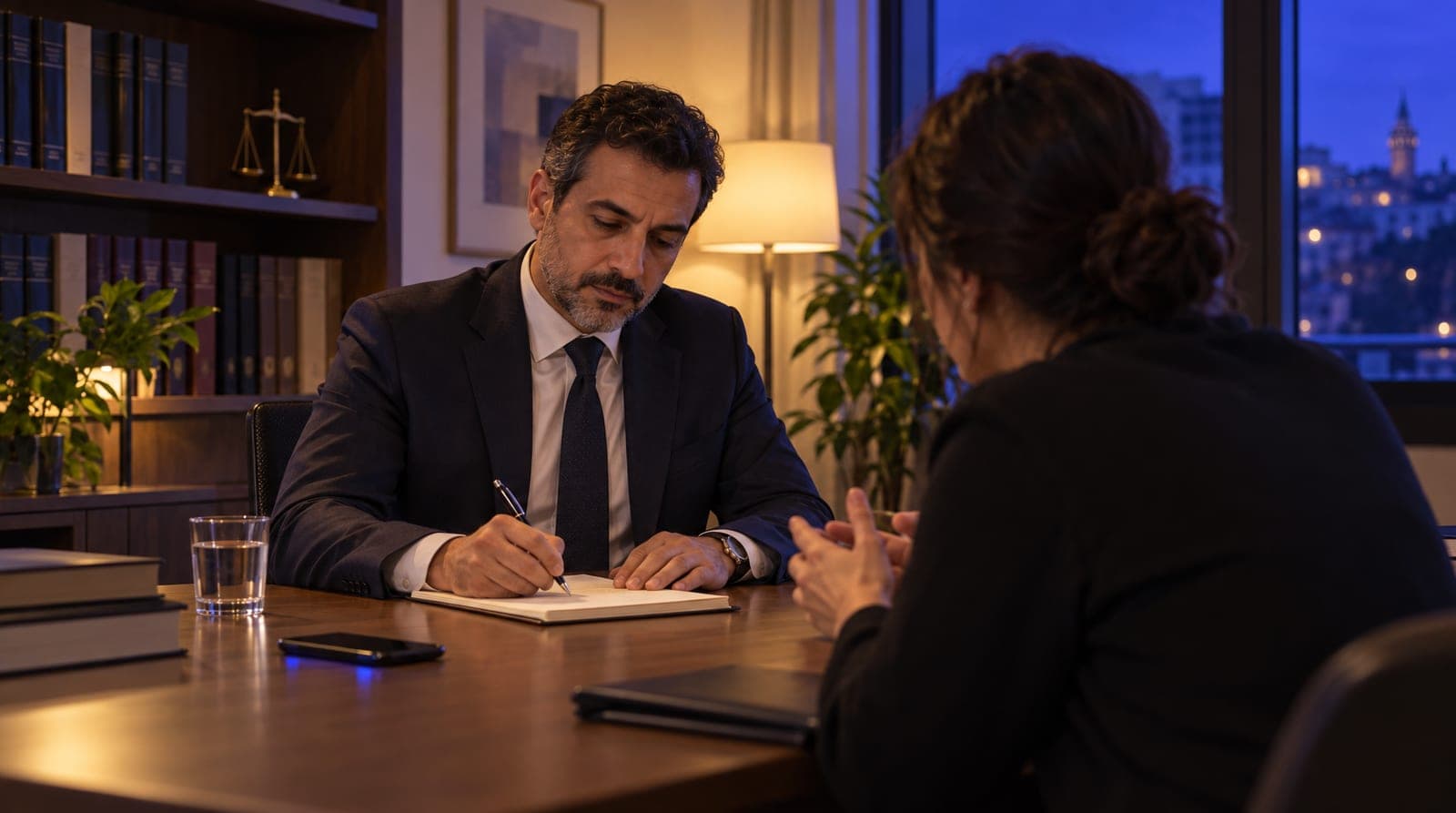
Law firm consultation booking automation and intake routing
Law firm consultation booking automation: conflict-free booking, reminders and intake routing to the right practice area. The AI gives no legal opinion.

At a law office, a consultation appointment differs from a clinic’s examination appointment in two respects. First, the incoming request is usually raw and unclassified. Someone who says "my landlord has filed a case," "I was fired," or "there’s an inheritance but we can’t agree" doesn’t know themselves which area it falls under, or which lawyer handles it. Second, while answering that request, the AI must never cross a line: it does not interpret the matter and does not predict case outcomes. The consultation appointment engine is built to meet these two needs at once: to route the request to the right practice area and the right lawyer, but without interpreting the matter.
This article explains how a law firm sets up its consultation appointment and case preliminary-assessment routing engine on inTusell: appointment types, working hours, conflict prevention, reminders, no-show reduction, and the most critical piece, preliminary-assessment routing. This is the appointment and engine pillar of the law section of our sector-based "how to train your AI" series; for the series' law pillar, see how a law firm trains inTusell’s AI.
Quick answer
inTusell is an AI sales assistant and CRM that answers WhatsApp, Instagram and web chat messages and books appointments. For a law firm it runs on consultation types, working hours, a conflict check, reminders 1 day and 2 hours before, and intake routing to the right practice area. The AI never interprets the case or predicts an outcome.
Why consultation appointment automation
A law office loses two things at once: the request nobody got to, and the meeting nobody reminded the client about. A client who writes after hours waits until the next day and usually goes to another firm. The rawness of the request makes the work harder still: the secretary first works out "what subject is this, which lawyer handles it?", then tries to book an appointment. In manual mode, the whole chain depends on a person’s memory and working hours. The concrete difference looks like this:
| Situation | Manual consultation | Automatic consultation (inTusell) |
|---|---|---|
| Receiving the request | During working hours, phone/WhatsApp | 24/7, through the channel the client wrote in |
| Classifying the subject | The secretary sifts by hand | The AI asks about the practice area and pre-classifies |
| Conflict | Open to human error | The system prevents it (no double-booking) |
| Reminder | By hand, one by one, can be forgotten | Automatic 1 day + 2 hours before |
| Document list | Noticed in the meeting, comes incomplete | The consultation type’s preparation note appears in the 1-day reminder |
| No-show | Empty slot, non-billable hour | Rescheduling message with 3 open times to the client who did not show |
This is where inTusell’s position as "not a ready-made bot but an experienced consultation coordinator" becomes concrete. A good coordinator doesn’t offer a time from memory; they look at the calendar. They don’t route a request at random; they send it to the right practice area. And they send the document list ahead of time, so nobody comes to the meeting empty-handed.
Who is it for?
- Firms working in areas with high consultation demand such as family, labor and consumer law.
- Offices dealing with criminal, commercial, enforcement-bankruptcy and real estate cases that need to separate incoming requests by area.
- Firms receiving heavy initial inquiries in traffic accidents, compensation and insurance disputes that lose hours to clients who don’t show up (no-shows).
- Teams where multiple lawyers handle different areas of expertise and the request must land with the right lawyer.
- Offices where lawyers want to track the day through their own Google Calendar.
No technical knowledge is required; the setup is done entirely from the panel, without writing code.
1. Setting up consultation types
The foundation of the appointment engine is consultation types. In a clinic this was the examination type; at a law office the equivalent is the meeting type. For each type you define three settings:
| Setting | What it does | Example |
|---|---|---|
| Duration | How many minutes the meeting lasts | First Consultation 45 min, Online Meeting 20 min |
| Buffer | The gap left after a meeting | 10 min note/file prep after a meeting |
| Color | Distinguishing on the calendar | First consultation blue, follow-up meeting orange |
Duration is critical for the AI to calculate the slot correctly: if "First Consultation 45 min" is defined, the AI looks for a 45-minute gap and does not squeeze a meeting into a shorter break. The buffer leaves breathing room between meetings for taking notes and preparing files.
The boundary on fees is clear. In the instructions that come ready for law firms, the AI states no amount and does not negotiate fees; it says fees are set by the Attorneys’ Minimum Fee Tariff and a written engagement agreement, and that the exact figure is given in the meeting. We explained this fee behavior in detail in how a law firm uses inTusell.
If you have several lawyers, you can add each one as staff: each lawyer gets their own working hours, calendar color and the services (consultation types) they offer. Conflict checking runs per lawyer; two different lawyers can see two clients at the same time, but the same lawyer cannot be booked twice. If the client names someone ("Can I see Attorney Ayşe?"), the AI suggests that lawyer’s open times; if the name matches more than one person, it asks "which one?"
2. Working hours and judicial-recess exceptions
You define working hours so the AI only books consultations during the hours you are open. There are two layers:
- Weekly working hours: opening and closing for each day of the week (for example Monday-Friday 09:00-18:00, Saturday 10:00-13:00, Sunday closed). You mark closed days as "not available".
- Exceptions (override): a special rule for a specific date. To close the office on a public holiday, a religious holiday or a judicial-recess day, you add a "not available" exception for that day and write a reason ("Judicial recess: closed"). You can also change the hours for a single day (for example not taking consultations in the afternoon on a hearing day).
This way the AI does not book appointments during the judicial recess, and it does not book a client into a time after closing. Whatever the lawyer’s work schedule is, the consultation follows it.
3. Conflict prevention: no two clients at the same time
This is the appointment engine’s most critical protection and solves the nightmare most often experienced at small firms: the lawyer being called to meetings with two clients at the same time. Before creating a consultation, inTusell checks two things: is the requested time within working hours, and is that slot booked? If there is a conflict, the appointment is not opened.
Important detail: cancelled (cancelled) and missed (missed) appointments free up the slot again in this check. When a client cancels, that time automatically becomes available again and can be opened to another client. Each consultation has a clear life cycle:
scheduled
  → confirmed
  → attended
or
  → cancelled
  → missed
This cycle both feeds conflict checking and keeps the client pipeline at the correct stage.
4. Reminders and document list: 1 day + 2 hours before
A client who doesn’t show up (a no-show) is a costly item at a law office: an empty consultation hour is the lawyer’s non-billable time. inTusell reduces this with automatic reminders. Two reminders are scheduled for each consultation appointment:
- 1 day before: a message along the lines of "You have a consultation appointment tomorrow [date time]"; it asks for confirmation with "1 Yes · 2 Reschedule · 3 Cancel" and the reply is recorded on the appointment. If you wrote a preparation note on the consultation type (for example "bring your contract, notice and report"), it appears in this message, so the meeting is not wasted and the lawyer works with the file from the first minute.
- 2 hours before: a short reminder along the lines of "Your meeting is today at [time]: 2 hours left".
The message carries a change/cancel link. If the client lets you know in advance that they cannot come, the slot does not go to waste. In keeping with the legal tone, these messages go out in measured language without emoji.
The reminder is not confined to a single channel; it works with a fallback chain:
- The channel the client wrote in (WhatsApp, Instagram DM, Telegram).
- If an SMS provider is set, SMS.
- Then email.
You can turn reminders on or off for each appointment; a consultation booked the same day may not need a 1-day reminder. The system sends each reminder only once; it will not send the same reminder twice. Reminders run on paid plans; on the Free plan automations are off.
5. Case preliminary-assessment routing (the engine’s distinguishing piece)
This is the actual capability that separates the law appointment engine from a clinic’s. In a clinic the patient says "I have a toothache, I want an appointment"; the area is clear. In law the incoming request is raw and mixed. Preliminary-assessment routing means the AI moving this raw request to the right lawyer: without interpreting the matter.
In practice the AI runs three steps:
- Classifies the practice area. "My landlord has filed an eviction case" → real estate/tenancy law. "I was unfairly dismissed" → labor law. "I inherited from my father, we can’t agree with my siblings" → inheritance/family law. The AI reads the request and pre-classifies which area it falls under.
- Tells the client which documents to bring. Following the list you wrote in the knowledge base, it reminds the client of the documents specific to that area (for example, in labor law the employment registration and the termination notice; in tenancy law the contract and the notice). It does not ask for documents or case details in the chat; the ready instructions treat contact details and a topic heading as enough for a meeting request. The same list can also appear in the 1-day reminder as the consultation type’s preparation note.
- Opens the right consultation. If you split consultation types by practice area and added your lawyers as staff, the appointment opens on the calendar of the lawyer who offers that service; if the client names a lawyer, the AI suggests that lawyer’s times.
The boundary is clear and unchanging: in none of these three steps does the AI interpret the matter. On questions like "Is the eviction justified?" or "Will I win this case?", it makes no assessment either way, does not predict the case outcome, and does not suggest strategy. It says "This depends on the details of your file; let our lawyer assess it in the consultation" and directs the client to the appointment. Here is what the AI does and does not do:
| What the AI does | What the AI does not do |
|---|---|
| Classifies the request into a practice area | Does not assess who is right/wrong in the matter |
| Lists the required documents | Does not say "you’ll win this case" |
| Opens the consultation with the right lawyer | Does not say what sentence/compensation will come from which article |
| Explains the general procedure ("the case is filed at the courthouse") | Does not give a legal opinion specific to your matter |
| Hands off to the lawyer to bring the meeting forward when it senses a deadline risk (a served notice, an objection period, an enforcement proceeding) | Does no deadline or limitation-period calculation and gives no definitive information on rights-forfeiting matters |
This line is not left to the rules you write alone. The primary thing that sets it is the instruction set that comes ready for law firms: legal opinions, chances of winning, sentence or compensation estimates and outcome promises such as "we’ll win" are forbidden; under the Attorneys’ Act and the advertising ban, "the best", "expert", success rates and examples of won cases are not used either. On top of that, an output filter (a pattern scan plus a second-model check) scans for misleading legal promises such as "you’ll definitely win the case" or "guaranteed compensation" and flags them. The filter is not a wall that blocks everything; it detects and flags risky phrasing, and the real control is the instructions. Legal and sensitive topics reach your team in every mode. We explain in detail how you set this boundary during training in how a law firm trains inTusell’s AI.
6. No-shows and rescheduling
If the client still does not show up despite all the reminders, you mark the appointment with the "No-show" button in the Agenda or Day view; an appointment still not marked "Attended" about 2 hours after it ends also counts as missed. After that:
- Pending reminder jobs are cancelled (no longer needed).
- The Google Calendar event is not deleted; the event is deleted only when the appointment is cancelled.
- If you mark attendance in the panel, the client who did not show gets a rescheduling message with 3 numbered options from your real open times and an appointment management link.
- The prospect is taken into the follow-up flow ("follow-up needed").
This message has one condition: if you have not marked any appointment "Attended" in the last 30 days, "missed" is only a guess and the message is not sent, because telling someone who did come "we missed you" is worse than not writing at all. It is also not sent if reminders are off for that appointment or the client has turned off service notifications. The client can move the missed appointment to a new time from their own link within 7 days.
7. Google Calendar sync (one-way)
If you want lawyers to see the day through their own Google Calendar, you connect the calendar with your Google account. Let us be clear about how the sync works: it is one-way (inTusell → Google Calendar).
- When a consultation is created, an event titled "Consultation: client name" appears in Google Calendar.
- When the appointment is rescheduled, the event is updated.
- When an appointment is cancelled, the event is deleted; a missed appointment keeps its event on the calendar.
The reverse does not apply: a change you make by hand in Google Calendar does not flow back to inTusell, and conflict checking does not look at Google Calendar’s busy hours. Conflict is always calculated from inTusell’s own appointment book. So Google Calendar is a convenient way to see your schedule, not the source of truth for appointments. Even if you do not connect it, consultations, reminders and conflict prevention work the same. You can review the integrations on the integrations page.
Channels and handoff to a human
The consultation engine works the same whatever channel it comes from: Instagram DMs, Instagram comments, WhatsApp, Telegram and web chat merge into a single inbox. The practical path is to open WhatsApp and Instagram DM first; Instagram comment replies are live too and on by default, but if you connected Instagram before September 24, 2026, you need to reconnect it once for comments.
There are three account-wide modes (My business › Instructions › AI Settings › Advanced AI Settings):
| Mode | Behavior | When |
|---|---|---|
| Intern (default) | Sends replies itself; asks you before a cancellation or refund | The starting point for most firms |
| Senior | Also handles cancellations and refunds itself | When you trust the AI’s decisions |
| Full approval | On WhatsApp, Instagram and Telegram every reply waits for your approval | The first days or a sensitive period |
In every mode the AI handles consultation booking and intake routing; it hands conversations that need a legal assessment or are urgent (an upcoming hearing, custody/detention) to the lawyer with their full history, the handoff lands on the Decisions page, and the client doesn’t have to tell the story again. You can also put a single conversation in Approval, Shadow or Paused mode. We explain separately how the channels come together in a single inbox in Instagram and WhatsApp consultation automation.
What it isn’t
- It is not a lawyer or a legal advisor. The consultation appointment engine classifies the request and routes it to the right lawyer; it gives no legal opinion, does not predict case outcomes, does not suggest strategy.
- It is not a national judicial / case-tracking system. It does not carry out official file proceedings; it is the consultation appointment, communication and pre-routing layer.
- It is not a two-way calendar. It writes to Google Calendar, does not read from it; it calculates conflicts from its own appointment book.
- It does not offer the freed time to other prospective clients. The missed slot opens up again in the appointment book; the rescheduling message goes only to the client who did not show.
- It is not priced specifically for law firms. Plans differ only by messages, voice minutes and storage and do not vary by sector; channel count is never charged. The consultation appointment module can be enabled in every package; for package details see the pricing page.
Let these boundaries be clear from the start, so you do not begin with the wrong expectation.
Frequently asked questions
What is case preliminary-assessment routing, does the AI interpret the case?
No. Preliminary-assessment routing is the AI asking which practice area the matter falls under (family, labor, criminal, enforcement, real estate) and which documents are needed, then routing the consultation to the right lawyer. The AI does not interpret the matter, does not assess who is in the right, and does not predict case outcomes; it classifies the request and moves it to a suitable consultation appointment. The practice area is a high-sensitivity field; the AI does not record it without your confirmation.
Does the AI create the consultation appointment on its own?
Yes. The AI clarifies the subject of the request, looks at the duration of the consultation type and the lawyer’s working hours, takes booked slots into account, and creates the appointment if it finds a suitable time. Double-booking the same time is prevented by the system. In cases requiring legal assessment or in emergencies, it hands the conversation to the lawyer.
Does the AI state the consultation fee?
In the instructions that come ready for law firms, the AI states no amount and does not negotiate fees: it says fees are set by the Attorneys’ Minimum Fee Tariff and a written engagement agreement, and that the exact figure is given in the meeting. You can adjust the instructions to your firm’s policy, but the AI never invents a figure that is not in the knowledge base.
When and through which channel do reminders go out?
For each consultation appointment, automatic reminders are scheduled 1 day before and 2 hours before. They go first through the channel the client wrote in (WhatsApp, Instagram, Telegram); if an SMS provider is set, SMS follows, and then email. If you wrote a preparation note on the consultation type (for example the documents to bring), it appears in the 1-day reminder. Reminders run on paid plans.
What happens if the client does not show up for the consultation (no-show)?
An appointment still not marked "Attended" about 2 hours after it ends counts as missed, pending reminders are cancelled and the conversation moves to the "needs follow-up" stage. If you mark attendance in the panel (at least one appointment marked "Attended" in the last 30 days), the client who did not show gets a rescheduling message with 3 options from your real open times and an appointment management link; if you do not mark attendance, this message is not sent, because "missed" would only be a guess.
Is the Google Calendar sync two-way?
No, it is one-way: inTusell writes the appointment to Google Calendar (creation, rescheduling, cancellation are reflected). A change made by hand in the calendar does not flow back to inTusell; conflict checking is always done from inTusell’s own appointment book. Google Calendar is optional; appointments and reminders work even if you do not connect it.
Next step
Once the consultation appointment engine is set up, you can go in two directions. To shape the AI with your practice areas, your tone and your legal boundaries, read how a law firm trains inTusell’s AI. To see how incoming consultation requests are managed in daily operations, move on to how a law firm uses inTusell. If you want to go deeper on the channel side, you can look at Instagram and WhatsApp consultation automation, review the solution tailored to law firms on the law office page, and read the whole series from the all articles list.
If you wonder how the same appointment logic is set up in other regulated areas, clinic AI training for healthcare and travel agency AI training for tourism offer good comparisons.
If you would like us to set up your consultation appointment system together, Get a demo or write to hi@intusell.com; in a short session we will set up your working hours, your consultation types and your first intake routing together.
You read the blog. Now see it live.
Test inTusell live with your own sector scenario in a 20-minute demo.