Veterinary appointment and vaccine reminder automation
Veterinary appointment and vaccine reminder automation: appointment types, conflict checks, reminders 1 day and 2 hours before, and checkup invitations.
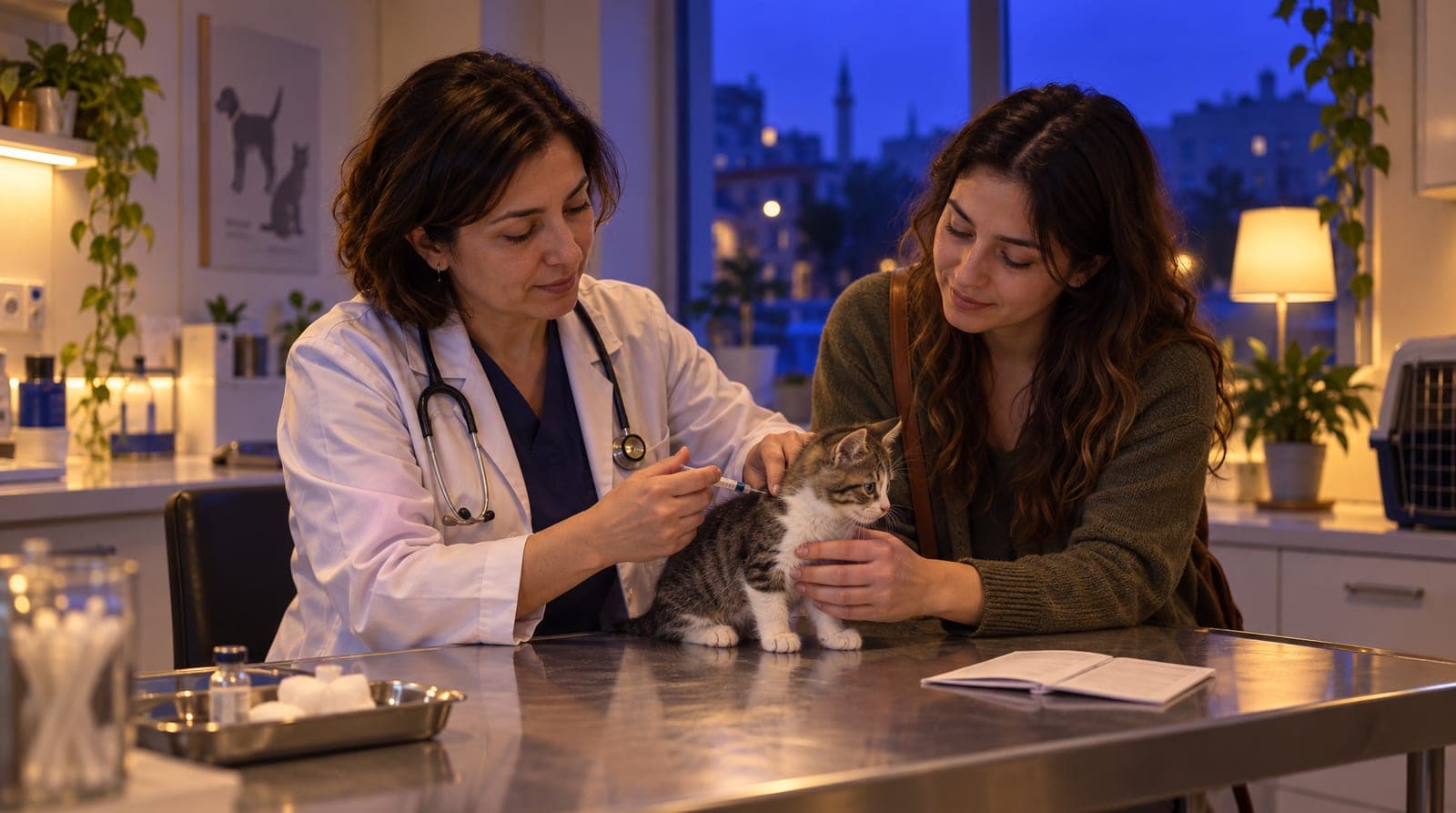
A veterinary clinic has two silent revenue leaks: the no-show appointment and the overdue vaccine. When a pet owner doesn’t show up, that slot goes to waste; when nobody reminds them that the combination or rabies vaccine is due, the animal’s protection slips and the clinic’s regular visit cycle breaks. Most clinics try to track this in a notebook, with someone calling one by one and messaging on WhatsApp. That is tiring, inconsistent, and easy to forget. This article explains how to build your clinic’s appointment engine on inTusell with veterinary appointment and vaccine/checkup reminder automation, from appointment types to multi-channel reminders, from conflict prevention to the checkup invitation that goes to the owner when a vaccine or checkup is due. This article is the appointment and engine leg of our sector-by-sector "how you train your AI" series; for the veterinary pillar, see how you train the veterinary AI, and for the general health pillar, see how you train the clinic AI.
Quick answer
inTusell’s veterinary appointment engine is built from appointment types, working hours, a conflict check that blocks double bookings, and reminders sent 1 day and 2 hours before. Once a visit is marked "Attended", the next vaccine or checkup invitation is queued at the interval set on its type. The AI does not diagnose or recommend medication.
Why appointment and reminder automation
There are three reasons to move appointments and reminders into inTusell: so that no request is lost in the process, so that no appointment goes without a reminder, and so that the vaccine/checkup cycle is not left to the owner. In manual mode, everything depends on a person’s memory and working hours. In automatic mode, appointments are booked 24/7 (in Full approval, where a new healthcare account starts, once you approve), reminders go out on their own, and an owner whose vaccine or checkup is due gets an invitation.
Think of the concrete difference like this:
| Situation | Manual tracking | Automated (inTusell) |
|---|---|---|
| Booking | During working hours, by phone | 24/7, from the channel the owner wrote from |
| Conflicts | Prone to human error | Blocked by the system (no double-booking) |
| Appointment reminders | By hand, one by one, can be forgotten | Automatically 1 day + 2 hours before |
| Vaccine/checkup time | In the notebook, easily missed | Checkup invitation at the interval set on the appointment type |
| No-show | Empty slot, lost revenue | If attendance is marked, a rescheduling message with up to 3 open times |
| Calendar | Separate diary | One-way copy to Google Calendar |
This is where inTusell’s position as "not a chatbot, but an experienced reception and patient coordinator" becomes concrete. A good coordinator does not hand out appointments off the top of their head; they check the calendar. They don’t forget the owner; they send the reminder. And they don’t overlook the note that "Buddy’s vaccine is almost due."
Who is it for?
- Small-animal, cat-and-dog, and exotic-animal clinics with heavy appointment and vaccine/checkup traffic.
- Veterinary practices with high no-show rates, where empty slots turn into lost revenue.
- Teams managing multiple services with different durations (general consultation, vaccine, checkup, grooming/care).
- Clinics that want to remind owners themselves rather than leave the regular vaccine and checkup cycle to them.
No technical knowledge is required; setup is done from the panel.
1. Setting up appointment types
The foundation of the appointment engine is appointment types. You define a type for each service; a type has three important settings:
| Setting | What it does | Example |
|---|---|---|
| Duration | How many minutes the appointment lasts | General Consultation 20 min, Vaccine 10 min |
| Buffer | The gap left after the appointment | 10 min disinfection after a consultation |
| Color | Distinguishing on the calendar | Consultation blue, vaccine green |
Duration is critical for the AI to calculate the slot correctly: if "General Consultation 20 min" is defined, the AI looks for a 20-minute gap. The buffer lets you leave breathing room for disinfection and prep between animals, especially useful when there is a risk of a contagious case. On the same screen you also set a checkup interval (days) and post-visit care messages for the type; section 5 covers them. On prices, the AI only says what is written in your knowledge base and notes that the price may change after the examination. We explained this behavior in detail in how you use inTusell for a veterinary clinic.
2. Working hours and holiday exceptions
You define your working hours so the AI only books appointments during the hours you are open. This works in two layers:
- Weekly working hours: Opening and closing time for each day of the week (for example, Monday-Saturday 09:00-19:00, Sunday 10:00-14:00 on-call). You mark closed days as "unavailable".
- Exceptions (overrides): A special rule for a specific date. To close the clinic on a public holiday, religious holiday, or conference day, you add an "unavailable" exception to that day and write a reason ("Public holiday: closed"). You can also change the hours for a single day (for example, mornings only).
This way the AI does not book appointments on a holiday morning and does not write a patient in for a time after closing. Whatever your working schedule is, appointments follow it.
3. Conflict prevention: no two patients at the same time
This is the appointment engine’s most critical safeguard. Before inTusell creates an appointment, it checks two things: is the requested time within working hours, and is that slot full? If there is a conflict, the appointment is not opened.
Important detail: cancelled (cancelled) and missed (missed) appointments free the slot again in this check. That is, when an owner cancels, that time automatically becomes available again and can be opened to another patient. Writing two patients into the same time (the most common error of a manual diary) is mathematically prevented.
4. The appointment reminder engine: 1 day + 2 hours before
This is the part that really reduces no-shows. For every appointment, two reminders are scheduled automatically:
- 1 day before: "Hello [name]! You have an appointment tomorrow, [date time]. See you soon!" This message asks for confirmation ("1 Yes · 2 Reschedule · 3 Cancel") and the reply is recorded on the appointment.
- 2 hours before: "Hello [name]! You have an appointment today at [time], 2 hours to go! See you."
The message is signed with your clinic’s assistant name and includes a change/cancel link. If the owner lets you know in advance that they cannot make it, the slot does not go to waste. Reminders run on paid plans; on the Free plan automations are off.
The reminder is not confined to a single channel; it works with a fallback chain:
- The channel the owner wrote from (WhatsApp, Instagram DM, Telegram).
- If that channel fails and an SMS provider is set up, SMS.
- If SMS also fails, email.
- For owners coming through web chat, the message is written directly into the conversation history.
You can turn reminders on or off for each appointment (reminders_enabled); for example, an appointment booked the same day may not need the 1-day reminder. The system sends each reminder only once and never sends the same one twice.
5. Vaccine and checkup time: the checkup invitation
What sets a veterinary clinic apart from other clinics is that most visits are tied to a recurring cycle: combination vaccine, rabies vaccine, internal-external parasite treatment, annual checkup. inTusell handles this with the checkup invitation (beta). It works per appointment type:
- In the appointment settings you give each appointment type a Check-up interval (days). The suggested value for veterinary clinics is 365 days; for types like "Combination Vaccine" or "Parasite Treatment" you enter the interval your vet has set. 0 means no invitation for that service.
- The moment an appointment is marked "Attended", the next checkup invitation is queued at that interval. Sending is shifted into your working hours; nothing goes out at night.
- When the day comes, a fixed service message goes out on the channel the owner wrote from:
"Hello [name]! It is time for your Combination Vaccine check-up. Write us a day that suits you and we will arrange it."
If the owner writes a day, the AI connects the conversation to the appointment engine: it checks working hours, suggests a suitable slot, opens the appointment, and automatically schedules the 1-day + 2-hour reminders. This way the vaccine cycle is not left to the owner’s memory; the clinic reminds, the reminder turns into an appointment, and the appointment turns into a visit.
The invitation drops itself in some cases: if the owner has booked again in the meantime (telling someone who already has an appointment that "it is time for your check-up" shows you are not tracking them), or if the appointment was cancelled, rescheduled or missed. It never reaches someone who has opted out. A short care message for the day after the visit is scheduled the same way: "Write to us if you notice any change in appetite, movement or the wound site."
Let’s set two boundaries up front. First, the invitation depends on the "Attended" mark: if you don’t mark attendance, nothing is queued, so using the "Attended" button in the Agenda is a precondition for this flow. Second, and more importantly: the message contains no medical decision. Saying "it is time for your check-up" is a communication and operations step; the decision of which vaccine should be given when and why belongs to the vet. The AI does not set up the schedule; it reaches the owner at the interval the vet has defined.
6. No-shows and rescheduling
If the owner still does not show up despite all the reminders, you mark the appointment with the "No-show" button in the Agenda or Day view; an appointment still not marked "Attended" about 2 hours after it ends also counts as missed. After that:
- Pending reminder jobs are cancelled (no longer needed).
- The Google Calendar event is not deleted; the event is deleted only when the appointment is cancelled.
- If you mark attendance in the panel, the owner who did not show gets a rescheduling message with up to 3 numbered options from your real open times and an appointment management link.
- The owner is moved into the follow-up flow ("follow-up needed").
This message has one condition: if you have not marked any appointment "Attended" in the last 30 days, "missed" is only a guess and the message is not sent, because telling someone who did come "we missed you" is worse than not writing at all. It is also not sent if reminders are off for that appointment or the owner has turned off service notifications. The owner can move the missed appointment to a new time from their own link within 7 days.
7. Google Calendar sync (one-way)
If you want your team to see the day through their own Google Calendar, you connect the calendar by signing in with your Google account. Let’s be clear about how the sync works: it is one-way (inTusell → Google Calendar).
- When an appointment is created, an event titled "Appointment: owner name" drops into Google Calendar.
- When an appointment is rescheduled, the event is updated.
- When an appointment is cancelled, the event is deleted; a missed appointment keeps its event on the calendar.
The reverse does not apply: a change you make by hand in Google Calendar does not flow back to inTusell, and conflict checking does not look at Google Calendar’s busy times. Conflicts are always calculated from inTusell’s own appointment book. That is why Google Calendar is a "viewing convenience", not the appointment source. Even if you do not connect it, appointments, reminders, and conflict prevention work exactly the same. You can review the integrations on the integrations page.
The medical boundary: the AI does not replace the veterinarian
In veterinary medicine, the boundary comes even before the appointment engine. In inTusell’s health mode, the AI does not diagnose, does not recommend treatment or medication, does not state a dose, and does not guarantee an outcome. It does not produce an answer to questions like "My dog has been vomiting all morning, what should I give?" or "What is this rash, is it dangerous?"; it directs the situation to the veterinarian and, for phrasing that points to an emergency, tells the owner to come to the clinic immediately.
This boundary does not rest on a rule you write alone. The primary protection is the instruction health mode gives the AI: "do not give a diagnosis/treatment advice, defer to the veterinarian." On top of this, an output filter (a pattern scan plus a second-model check) scans and flags boundary-crossing phrases like "guaranteed treatment," "it will definitely pass," or "give this medication." The important point: this filter is not a wall that blocks everything but a layer that detects and flags risky output; the instructions given to the AI are what actually determine its behavior. The two layers reduce the risk but are not a guarantee; on sensitive matters the vet has the last word.
The same rigor applies to information: the AI does not invent a price, stock, or a piece of information. On a topic it isn’t sure about, it does not guess; it says it doesn’t know and hands off to the team or the veterinarian. There are three account-wide working modes (My business › Instructions › AI Settings › "Advanced AI Settings"): Intern sends replies itself and asks you before a cancellation or refund; Senior also handles cancellations and refunds itself; in Full approval, where a new healthcare account starts, every reply on WhatsApp, Instagram and Telegram, and any action the AI would take (such as booking), waits for your approval. Whatever the mode, every conversation that needs a medical decision lands on the Decisions screen with its full history and goes from there to the vet or the team. You can also switch a single conversation to Approval, Shadow or Paused.
What it isn’t
- It is not a simple chatbot. inTusell is an AI sales assistant and CRM that answers messages on WhatsApp, Instagram and web chat, books appointments and opens orders, and follows each customer through the sales pipeline.
- It is not a veterinarian or a diagnostic tool. It does not diagnose, recommend treatment, or give a medication dose/recommendation. It directs medical questions to the veterinarian and the clinic.
- It is not a patient-records (clinic management) software. inTusell manages appointments, sends reminders and checkup invitations; it does not keep medical records, a vaccine card, or treatment history. The vet sets the vaccine interval, and inTusell reaches the owner.
- It is not a two-way calendar. It writes to Google Calendar but does not read from it; it calculates conflicts from its own book.
- It does not offer the freed time to other owners. The missed slot opens up again in the appointment book; the rescheduling message goes only to the owner who did not show. The vaccine or checkup invitation is a separate service message that goes only to the owner who received that service.
- It is not a sector-specific priced product. The appointment engine can be enabled on every plan; plans differ only by messages, voice minutes and storage, not by sector. For plan details, see the pricing page.
Frequently asked questions
Does inTusell automatically remind owners whose pets are due for a vaccine?
Yes, with the checkup invitation (beta). You give each appointment type a checkup interval (days); once the appointment is marked "Attended", the next invitation is queued at that interval and, when the day comes, a fixed service message goes out: "It is time for your Combination Vaccine check-up." If the owner has booked again in the meantime, the invitation is dropped. inTusell keeps no vaccine card; your vet sets the interval.
When and through which channel are appointment reminders sent?
For every appointment, an automatic reminder is sent 1 day before and 2 hours before. First through the channel the owner wrote from (WhatsApp, Instagram DM, Telegram); if they can’t be reached and an SMS provider is set up, SMS takes over, and if that also fails, email. For owners coming through web chat, the message is written into the conversation history. Reminders run on paid plans.
Does the AI give medical/veterinary advice about a pet?
No. The AI does not diagnose, does not recommend treatment or medication, and does not state a dose. It does not answer questions like "My dog is vomiting, what should I give?"; it directs the situation to the veterinarian and, if necessary, tells the owner to come to the clinic in an emergency. The AI is a communication and appointment layer; it does not replace the veterinarian.
Can two appointments be booked for the same time?
No. inTusell checks your working hours and the full slots; a conflicting appointment is blocked. Cancelled or missed appointments free the slot again in this check.
What happens if the patient (pet owner) is a no-show?
An appointment still not marked "Attended" about 2 hours after it ends counts as missed, pending reminders are cancelled and the conversation moves to the "needs follow-up" stage. If you mark attendance in the panel (at least one appointment marked "Attended" in the last 30 days), the owner who did not show gets a rescheduling message with up to 3 options from your real open times and an appointment management link; if you do not mark attendance, this message is not sent, because "missed" would only be a guess.
Do you need separate software for the appointment system?
No. Appointment types, working hours, reminders, and checkup invitations come built into inTusell. Google Calendar is optional and one-way; appointments and reminders work even if you do not connect it.
Next step
After setting up the appointment and reminder engine, you go in two directions. To shape the AI with your services, your tone, and your veterinary medical boundaries, read how you train the veterinary AI. To see how incoming appointments are managed in daily operations and how channels are connected, move on to how you use inTusell for a veterinary clinic and Instagram and WhatsApp automation for veterinary clinics. You can find the full veterinary solution on the veterinary page, and all the articles via the blog.
If you would like us to set up your appointment and vaccine-reminder flow together, Get a demo or write to hi@intusell.com; we’ll set up your working hours, appointment types, and your first checkup intervals together.
You read the blog. Now see it live.
Test inTusell live with your own sector scenario in a 20-minute demo.